Privacy and data retention
Answer a diner's request to see or delete their data, set automatic retention, and keep a record of every request.
Settings → Privacy is where you set how long customer data is kept. It is also where you handle requests from diners who want a copy of their data, or want it deleted. Diners in the EU and UK have a legal right to both, and you have one month to answer.
#What is held about a diner
| Data | Where it comes from | Kept because |
|---|---|---|
| Name, email, phone | Account sign-up, checkout, or a member of staff | Identifying the diner and contacting them about an order |
| Saved addresses, including map coordinates | Delivery checkout and the account page | Delivering without retyping the address |
| Order history and totals | Every order placed | Tax and accounting records |
| Bookings | Reservations and the waitlist | Running the booking, and no-show history |
| Reviews | Review invitations after an order or visit | Public reputation and service feedback |
| Store credit transactions | Refunds to credit and manual grants | Explaining a balance |
| Saved favorites | The heart button on a menu item | Reordering quickly |
| Sign-in codes | Signing in by email or text | Verifying the diner is who they say |
#Letting diners handle it themselves
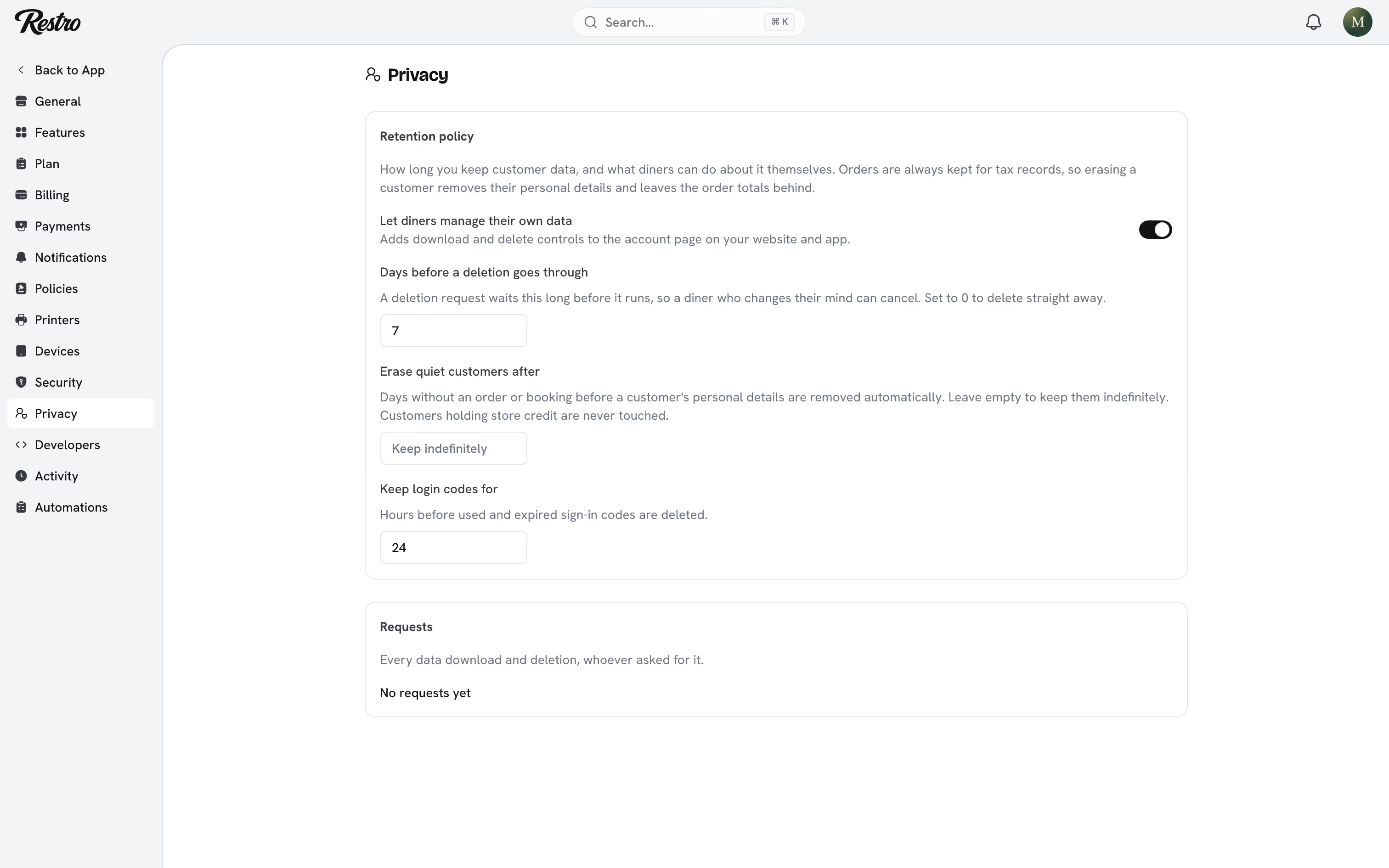
Let diners manage their own data, on by default, adds a Your data section to the account page on your website and app. From there a diner can download everything you hold on them or ask you to delete it, without contacting your team.
Turn it off and diners have to contact you. Your team then handles the request from the customer's page in the dashboard.
#Downloading a diner's data
Open the customer under Customers, then Data and privacy → Download data. You get a file with their profile, addresses, orders, bookings, reviews, store credit history and favorites. Send it to them however they asked.
Every download is recorded, so you can show when a request was answered.
#Deleting a diner's data
Deleting does not remove orders. Order records must be kept for tax, so Restro removes the personal details and leaves the money behind.
What is removed:
- Name, email and phone on the customer record
- Every saved address, including coordinates
- Saved favorites
- Delivery addresses, coordinates and notes on past orders
- Name, phone, email, occasion and notes on past bookings
- Reviewer name and review text
- Outstanding sign-in codes
What stays:
- Order numbers, line items, totals, sales tax, tips and refunds
- Store credit transactions, so a balance can still be explained
- Star ratings, counted anonymously towards your averages
The customer record stays behind as Erased customer, so past orders still add up in your reports.
Heads up
Deleting a diner's personal data cannot be undone.
#The grace period
A deletion request waits seven days by default before it runs. A diner who changes their mind can cancel from their account page, and your team can catch a request made in error. Set Days before a deletion goes through to 0 to delete immediately.
While a request is waiting it shows on the customer's page and under Requests, where you can cancel it or click Delete now.
#Automatic retention
Two settings run nightly as part of the Privacy retention automation under Settings → Automations:
- Erase quiet customers after: days without an order or booking before a diner's personal details are removed automatically. Leave it empty to keep customers indefinitely. Diners holding store credit are never touched.
- Keep login codes for: hours before used and expired sign-in codes are deleted, 24 by default.
The same run carries out any deletion requests whose grace period has passed.
#Who can do this
Owners and admins can see requests, download and delete data, and change the retention settings. To let someone else handle data requests, add the privacy permissions to their profile as a grant. See Roles and permissions.
#Keeping a record
Every download, deletion request, cancellation and automatic sweep is written to the activity log with who did it and when. Filter by Data requests for an audit trail if a regulator asks.
Your privacy policy still needs to say what you collect and why. Write it under Settings → Policies.
Did this page miss something? Tell us.
Back to top