Roles and permissions
Understand the ten built-in roles, which apps each one opens, and how to adjust access for a single person.
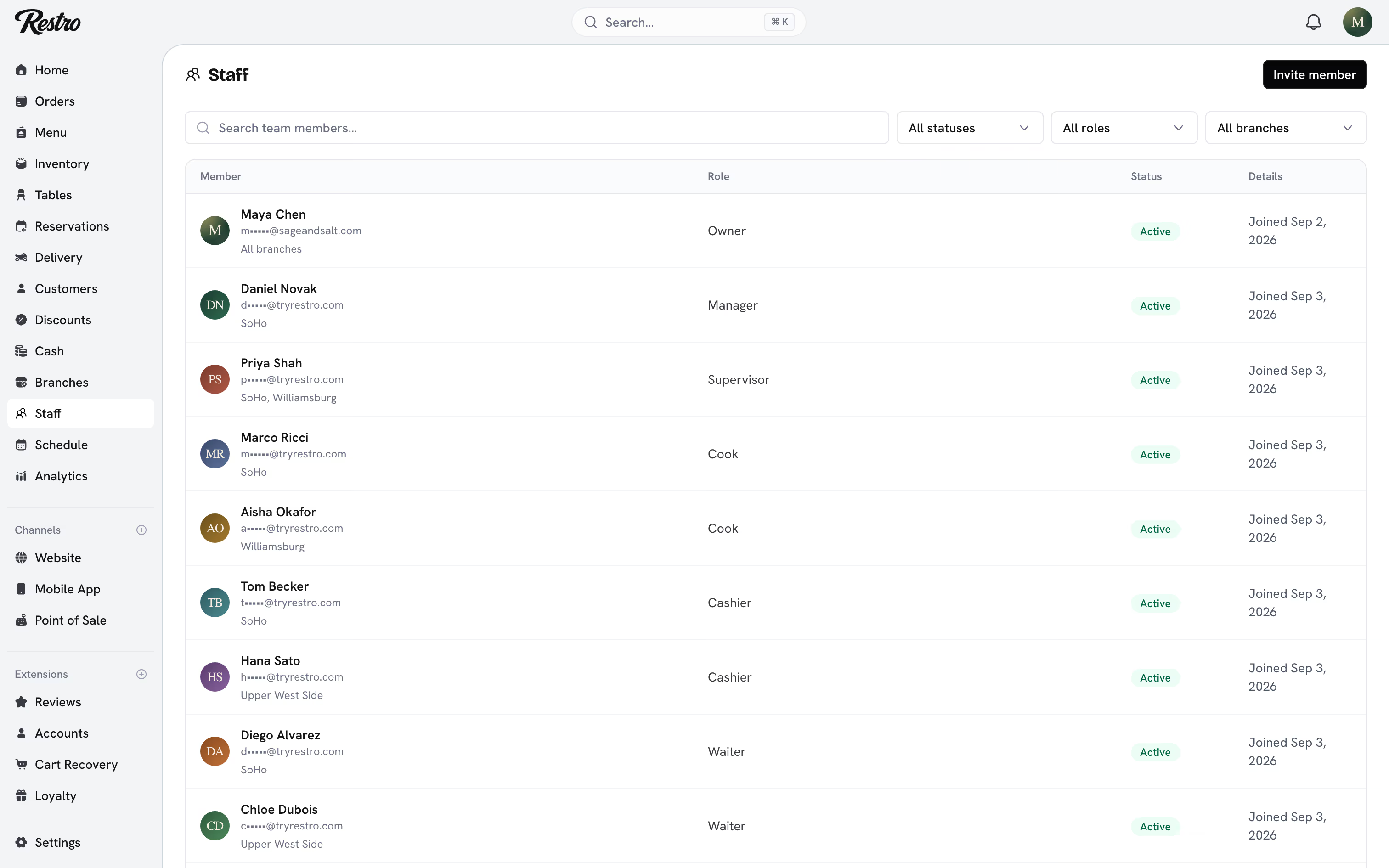
Every staff member has a role. The role decides which apps they can open and what they can do inside them. You choose it when you invite someone under Staff → Invite member and can change it later from their page.
#How access is decided
Three things decide what a person can see and do, applied in this order:
- Role: the built-in bundle of permissions and app access.
- Grants and denials: adjustments made for one person on top of their role.
- Branch assignment: which locations the person can see at all.
#Built-in roles
| Role | Opens | What they can do |
|---|---|---|
| Owner | Dashboard and every staff app | Everything, including billing and roles. One per restaurant, cannot be removed |
| Admin | Dashboard and every staff app | Everything except billing, including inviting staff and creating custom roles |
| Manager | Dashboard, point of sale, kitchen display, waiter app | Day-to-day running of assigned branches: orders, customers, stock, cash, shifts, staff |
| Supervisor | Dashboard, point of sale, kitchen display, waiter app | Floor lead: orders, voids, cash, shifts. Cannot invite or remove staff |
| Cashier | Point of sale | Take orders and payments, apply discount codes, run the drawer |
| Waiter | Waiter app | Take dine in and pickup orders, manage tables and reservations. Cannot take payments |
| Cook | Kitchen display | See incoming orders and update preparation status |
| Driver | Driver app | Deliveries assigned to them, and nothing else |
| Marketing | Dashboard | Discounts and promotions, marketing images |
| Accountant | Dashboard | Analytics, billing, stock, cash and shifts, read-only |
#App access
A role decides which apps a person can open, separately from what they can do inside them. A cashier has the point of sale and nothing else, so signing in takes them straight to the till. A cook lands on the kitchen display. A driver is pointed to the Restro Driver app.
Roles without dashboard access never reach the dashboard, whatever link they follow. They still see the restaurant on their restaurant picker after signing in, so they know which restaurant they were added to.
#Inviting a driver
Drivers work entirely from the Restro Driver app. Invite them like anyone else under Staff → Invite member with the Driver role. When they accept, they are asked to install the app instead of opening the dashboard.
They sign in to the app with the email the invitation was sent to. If Leo Adams signs in and sees no deliveries, check his branch assignment first. An unassigned driver has nothing routed to them.
#Branch scoping
Owners, admins, marketing and accountants see every branch. Everyone else sees only the branches they are assigned to, and orders, stock, cash and reports are filtered to match.
A staff member who sees an empty dashboard almost always has no branch assigned. Open their page under Staff and tick at least one branch under Branch access.
#Grants and denials
To give one person something their role does not include, add a grant. To take something away, add a denial. A denial always wins over a grant.
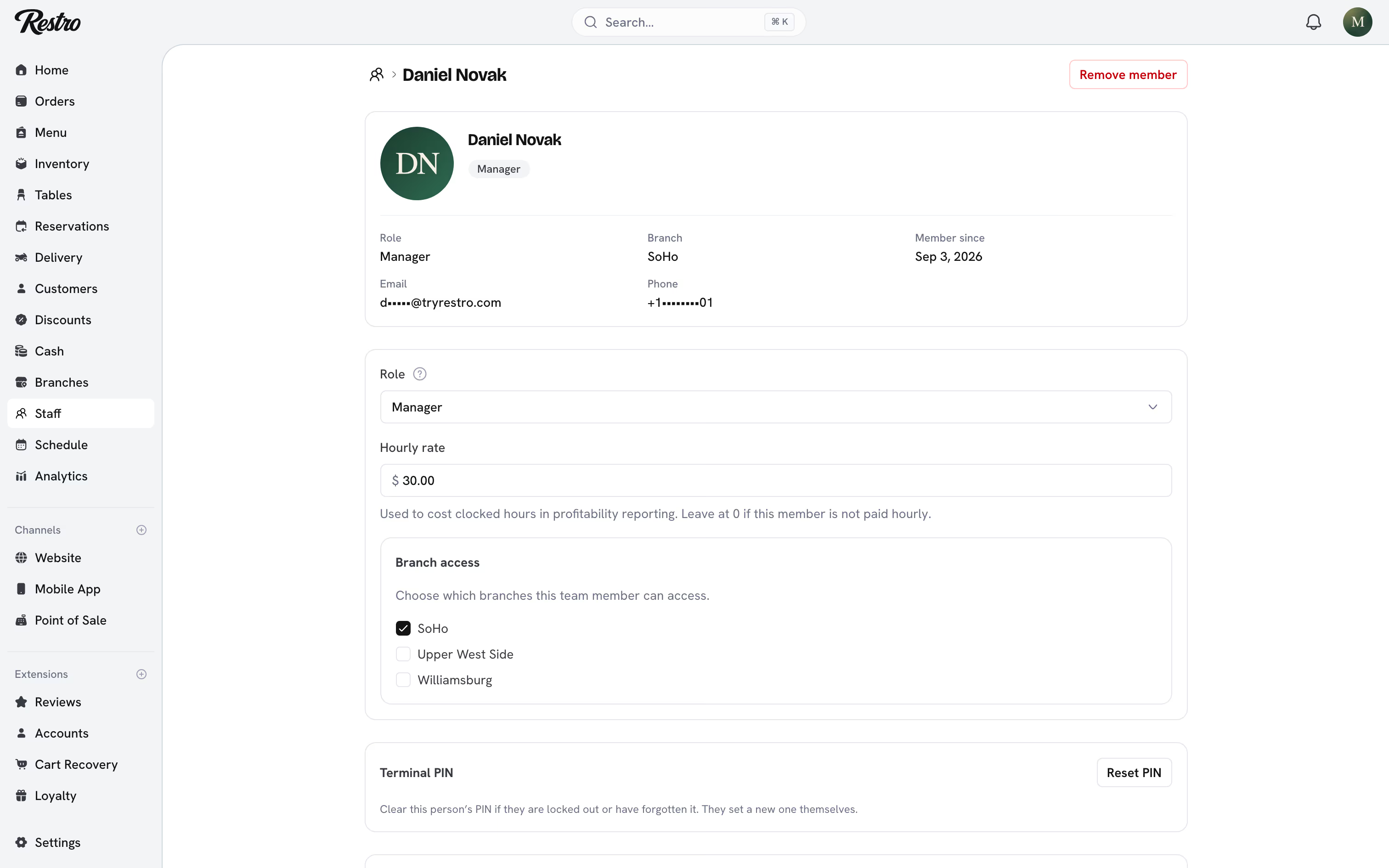
Use these sparingly. If you are granting the same thing to five people, the role is wrong.
#Custom roles
On the Enterprise plan, owners and admins can create custom roles with exactly the permissions and app access they choose. Staff are assigned to them like any built-in role.
#Who can manage whom
A person can only invite, edit or remove people below them. Owners manage everyone. Admins manage managers and below. Managers manage supervisors and below, within their own branches. Supervisors can see the staff list but cannot change it. Nobody can remove the owner.
#Related
Did this page miss something? Tell us.
Back to top