General settings
Set your restaurant's name and logo, contact details, order number format, and the social links shown on your website.
Settings → General holds the details that appear on your website, receipts and customer emails.
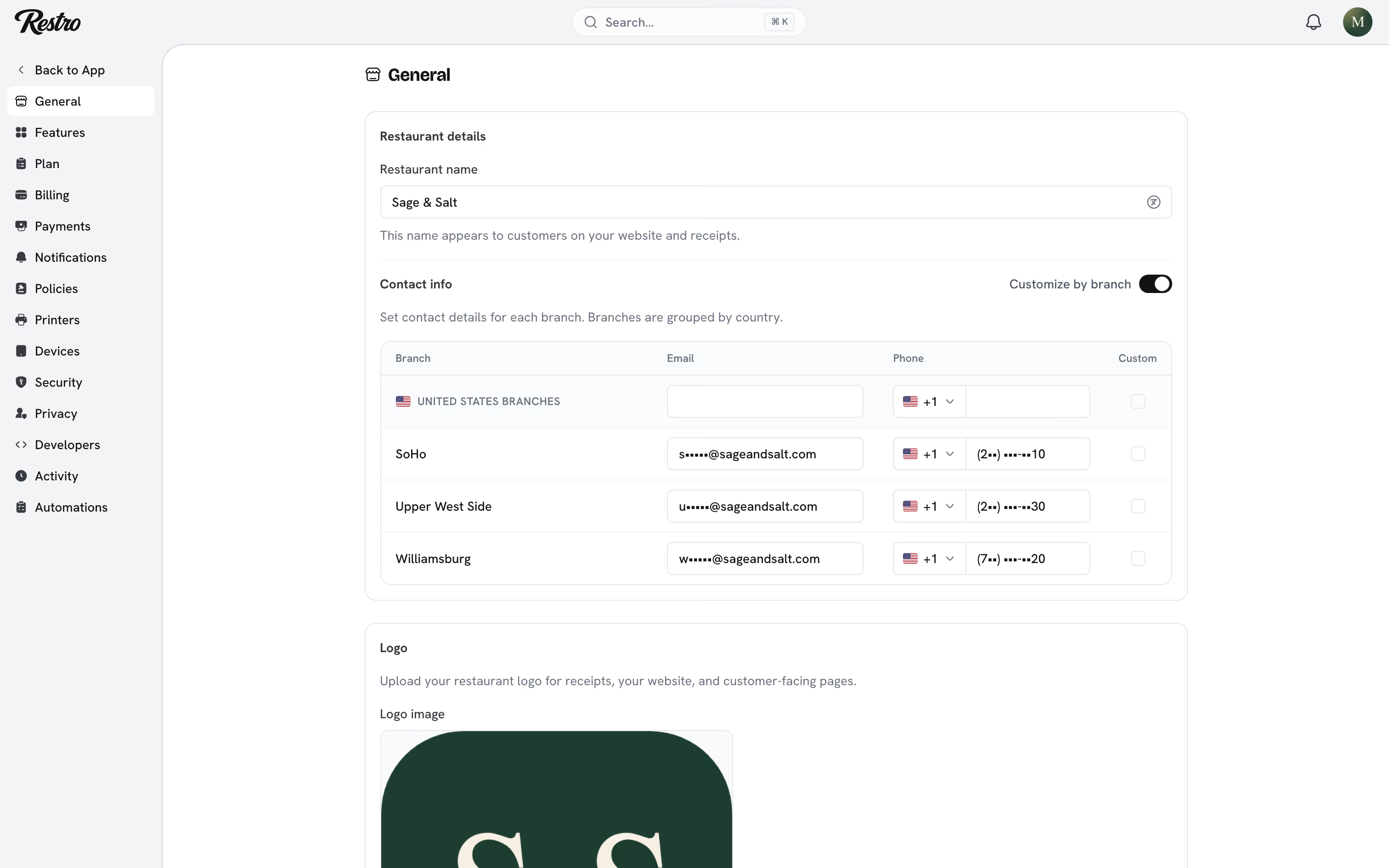
#Restaurant details
Enter the Restaurant name and upload a Logo. Both appear on your storefront, in customer emails and on printed receipts. With the Localize extension on, the name can be entered per language.
#Contact info
Under Contact info, enter the Email and Phone customers use to reach you, such as +1 212 555 0142. Turn on Customize by branch if each location should show its own number. A guest of Williamsburg then calls Williamsburg rather than a central line.
#Order numbering
Orders are numbered in sequence starting at 1000, wrapped in a Prefix and Suffix of your choice. With the prefix # and no suffix you get #1000, #1001 and so on. The Preview updates as you type. Set the format to whatever your kitchen tickets and accountant expect.
The sequence is shared across your branches, and a number is never reused, including for orders that were voided. A gap in the numbering is a voided order, not a missing one.
#Social links
Click Add social link and choose a platform: Instagram, WhatsApp, Google Business and many more. Paste the profile address. The links appear in your website footer with the right icon for each platform.
#Related
Did this page miss something? Tell us.
Back to top