Activity log
See who changed what, when, and from where, including work done on shared terminals and manager approvals.
Settings → Activity is a permanent record of every meaningful change in your restaurant, newest first. Entries cannot be edited or deleted.
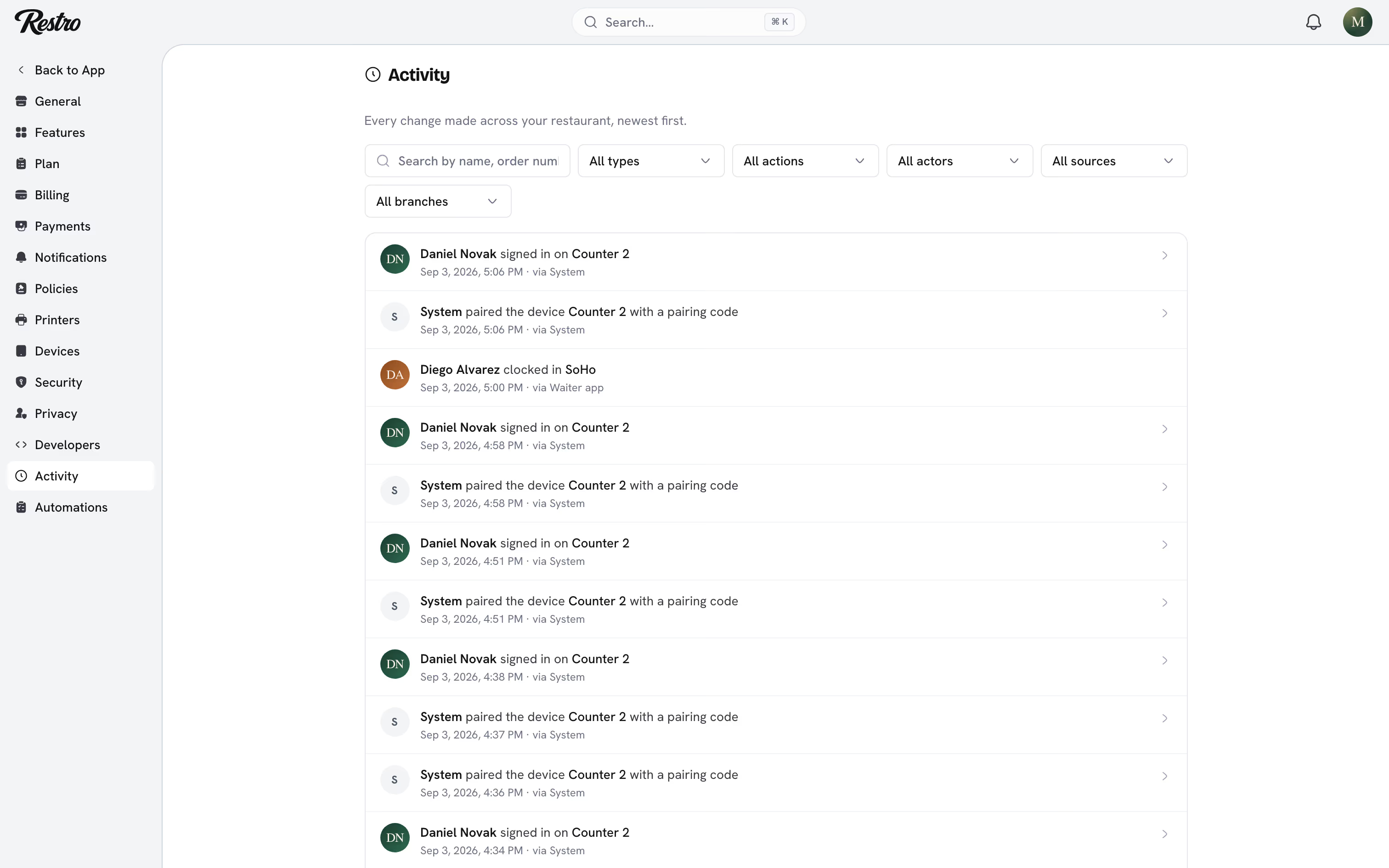
Each entry is a plain sentence naming what actually happened: added loyalty points to Emma Wilson, turned on the Loyalty extension, changed the shift for Priya Shah. Nothing is reduced to a generic "updated".
#What is recorded
- What was touched: an order, menu item, customer, reservation, shift, cash drawer, branch, device, printer, API key and so on.
- The action: created, updated, deleted, cancelled, refunded, opened, closed, and others.
- Who did it: a team member, a customer, the system, an API key or a connected app.
- Who approved it, when the action needed a manager's PIN.
- Where it came from: Dashboard, Point of sale, Kitchen, Waiter app, Driver app, Website, Mobile app, API or System.
- The terminal it came from, for anything done in a staff app.
- The change itself: the fields that moved, with their before and after values.
- When it happened.
#Work done on a terminal
Once a terminal is paired, staff sign in on it with their PIN. Everything they do after that is recorded under their name: orders, tips, cash movements, refunds and voids. The entry names the person, the terminal and the app, so a shared till still gives per-person accountability.
#Manager approvals
Some actions need a manager's PIN: closing a drawer with a large variance, or voiding an order when the signed-in member is not allowed to. These entries record both people: the member who did the work and the manager who approved it. An approval never hides who actually did it.
Both names are searchable, and a manager's profile shows the approvals they granted alongside their own work.
#Filtering
Filter by Type, Action, Actor, Source and Branch. To answer who voided order #1042, filter to Orders and search the order number. To review everything done on the tills, set Source to Point of sale. Search matches names, order numbers and the people involved.
The same log appears on individual records. A branch, a menu item or a team member's profile shows only the entries for that record.
#API keys
Changes made through the public API are logged with the name of the key that made them. A misbehaving integration is as traceable as a person.
Did this page miss something? Tell us.
Back to top