Your website
Pick a design, customize the homepage, connect your own domain, and serve customers in their language.
Turning on the Website channel gives you a full ordering site straight away at your subdomain, such as sageandsalt.tryrestro.com. Website in the sidebar is where you manage it.
#Designs
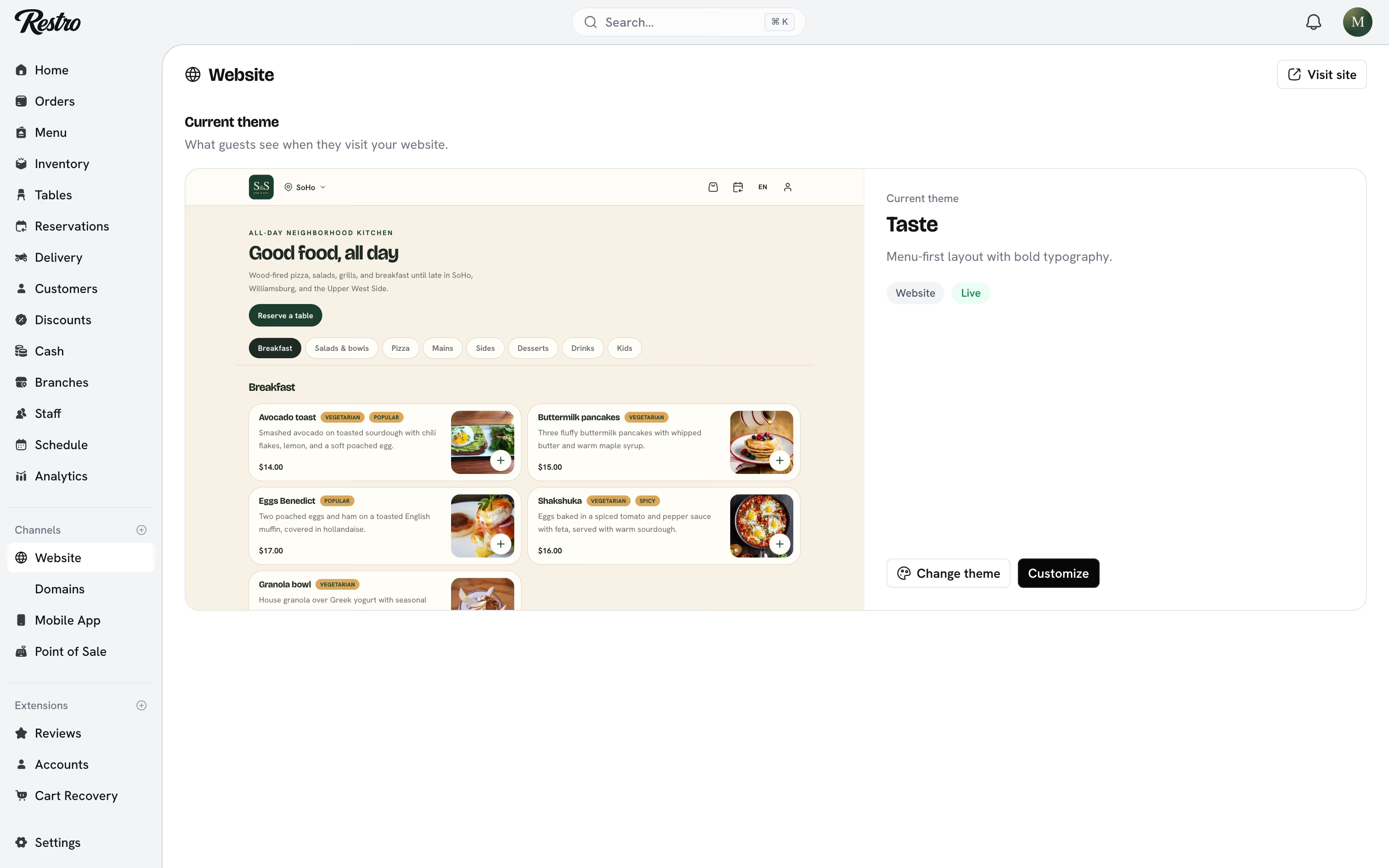
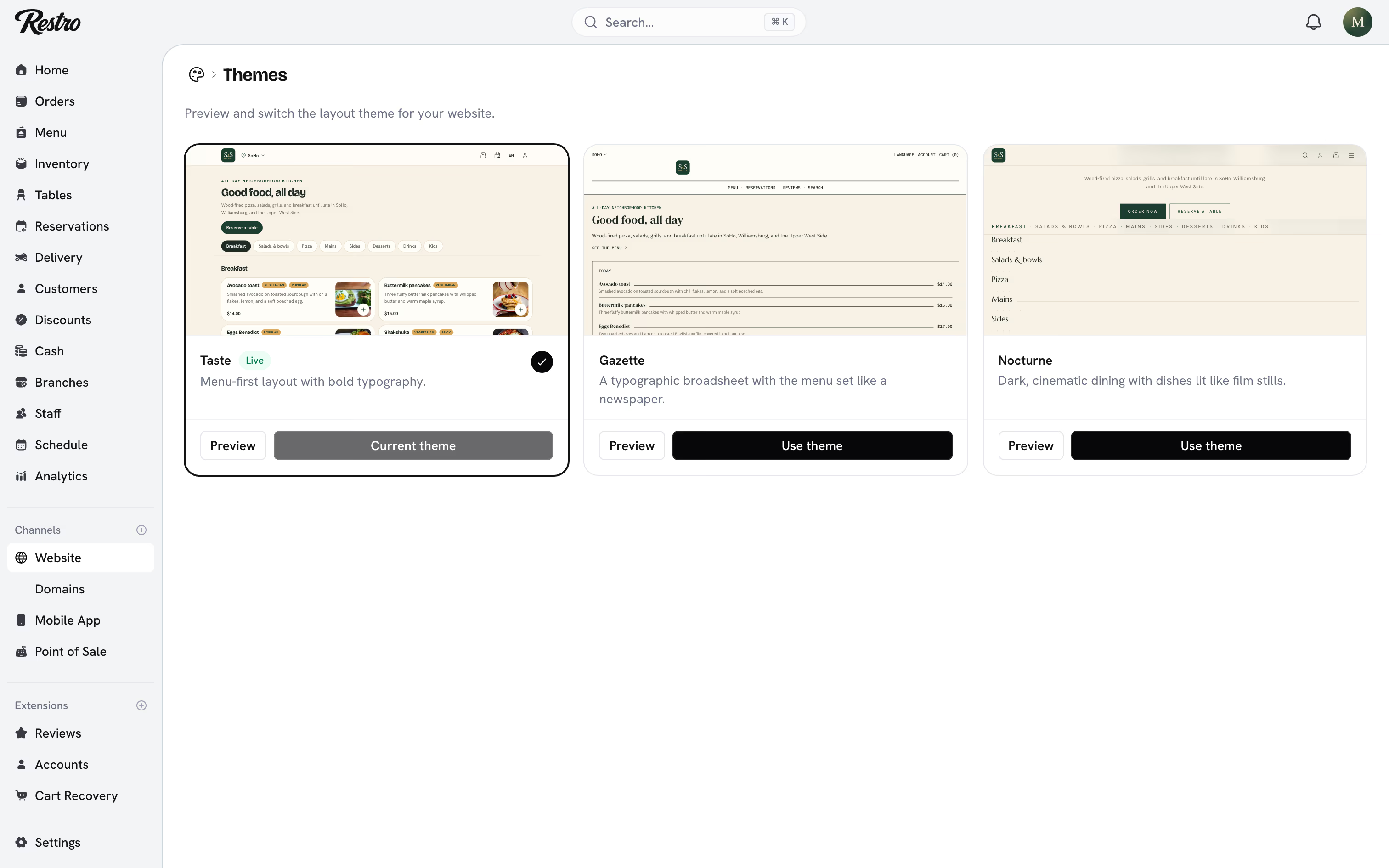
Three designs ship with Restro. Switching between them changes nothing about your menu or orders.
- Taste: the default. A menu-first layout with bold typography, built around food photography.
- Gazette: a typographic broadsheet, with the menu set like a newspaper. Good for menus with long descriptions and few photos.
- Nocturne: dark and cinematic, with dishes lit like film stills. Suits bars and late-night venues.
Website → Themes previews each design. Choose Use this theme to switch. If you have custom colors saved, Restro asks whether to keep them or reset to the new design's palette.
#Customizing
Website → Customize edits what the design shows. The preview updates as you type.
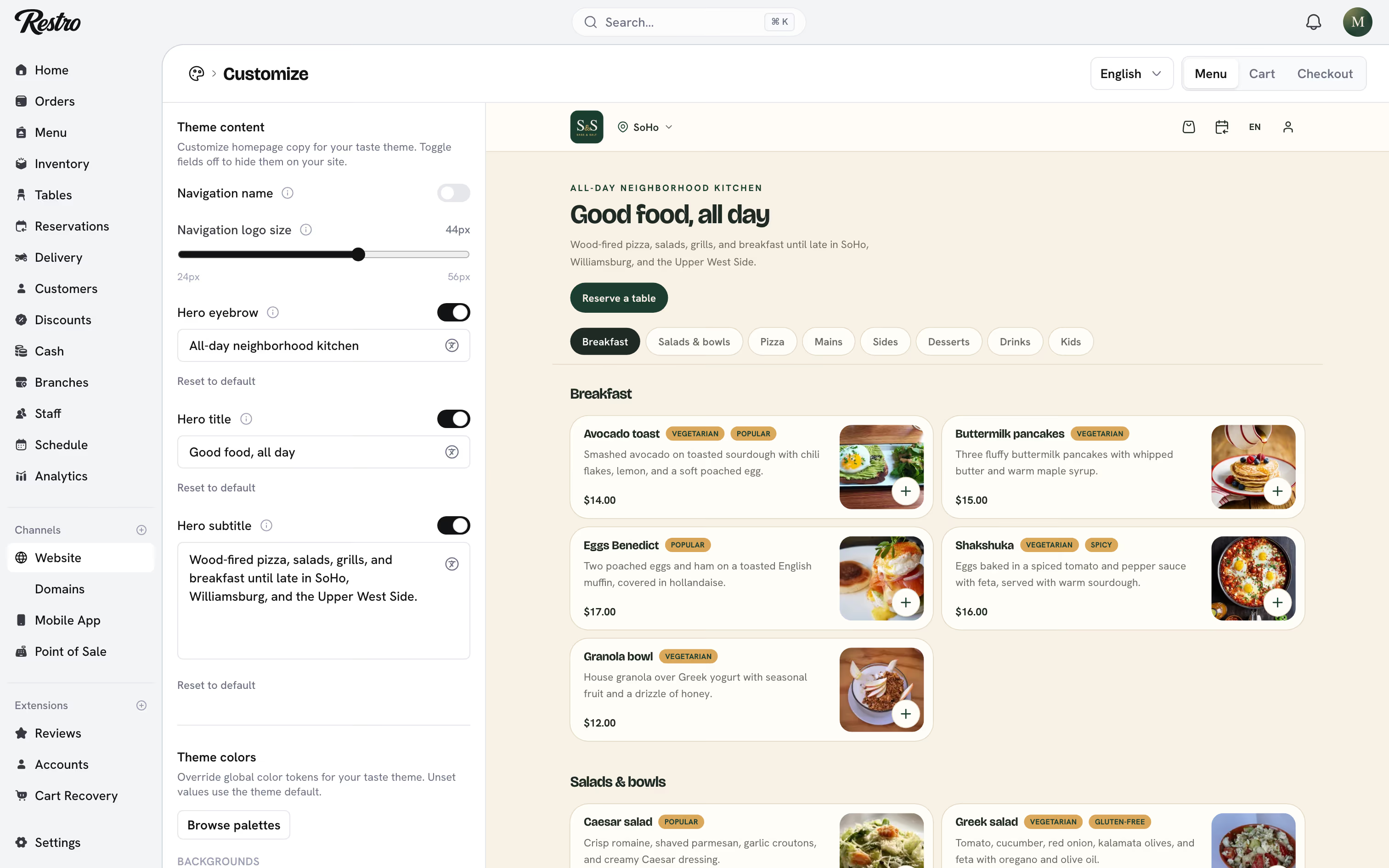
- Colors: keep the design's palette, pick a premade one, or set your own.
- Header: whether your restaurant name appears next to the logo, and the logo size.
- Homepage text: the small line above your name, the main heading (your restaurant name by default), and the line under it. Nocturne also takes a full-screen hero photo.
Turn a field off to hide it on your site.
#What customers see
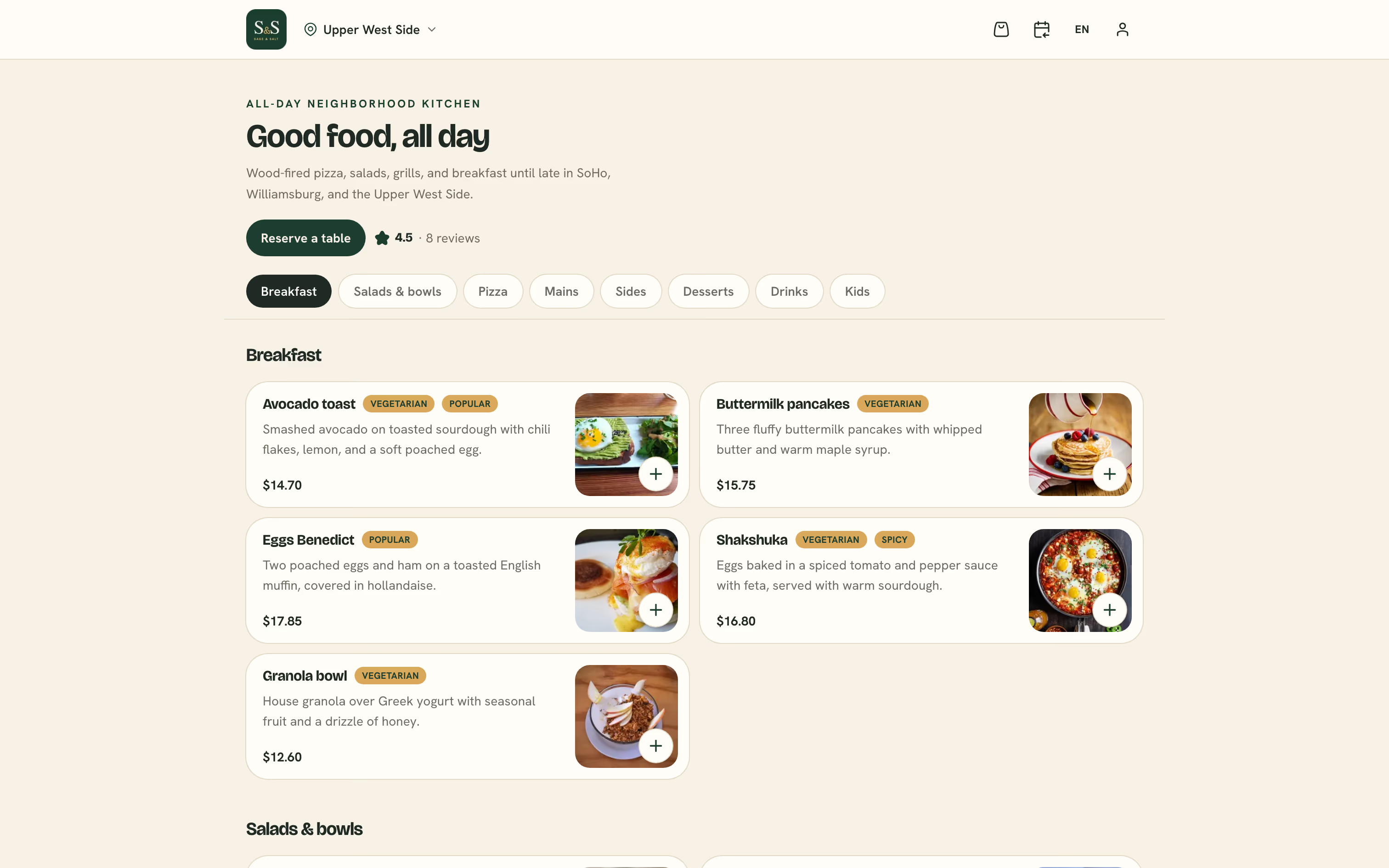
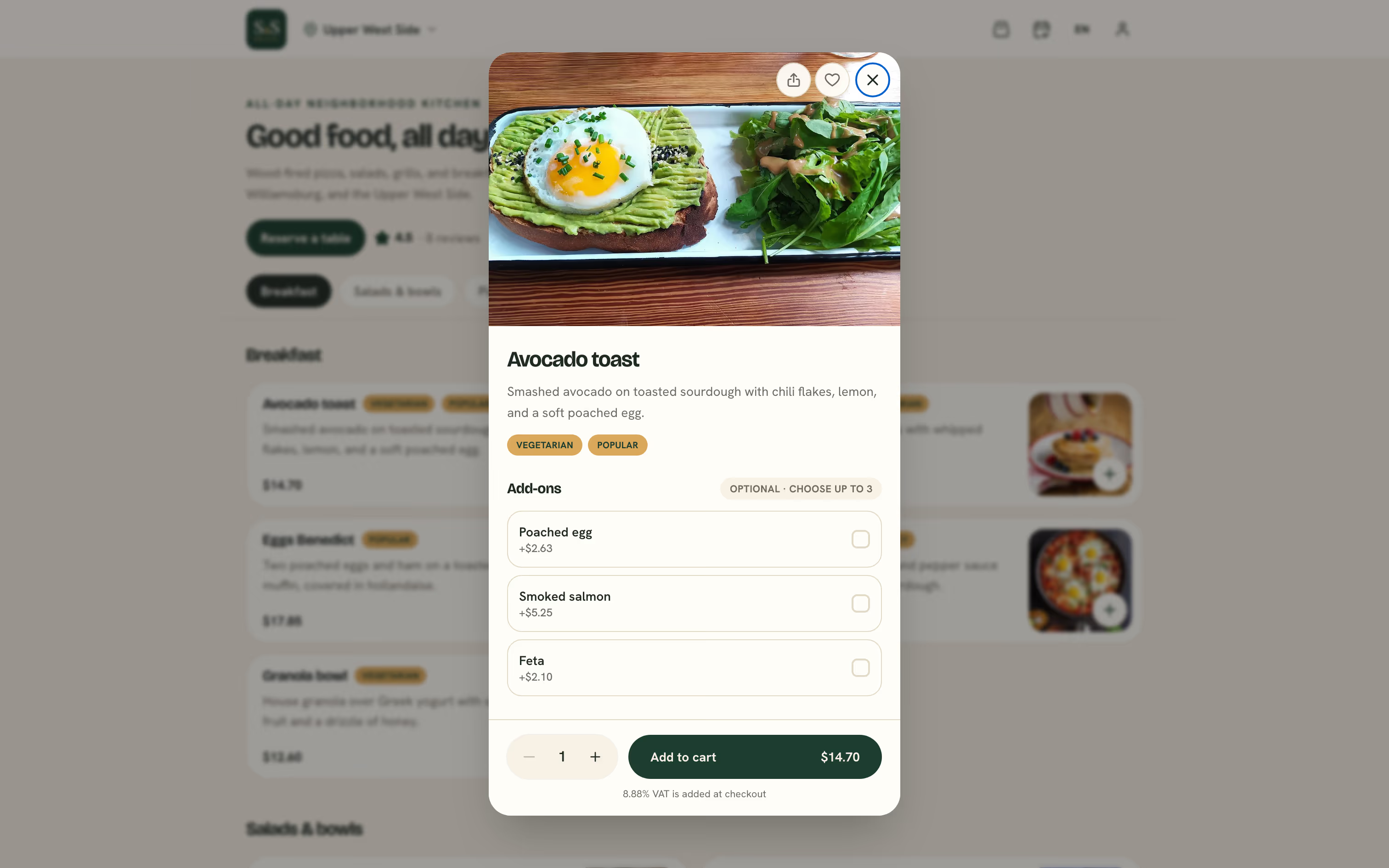
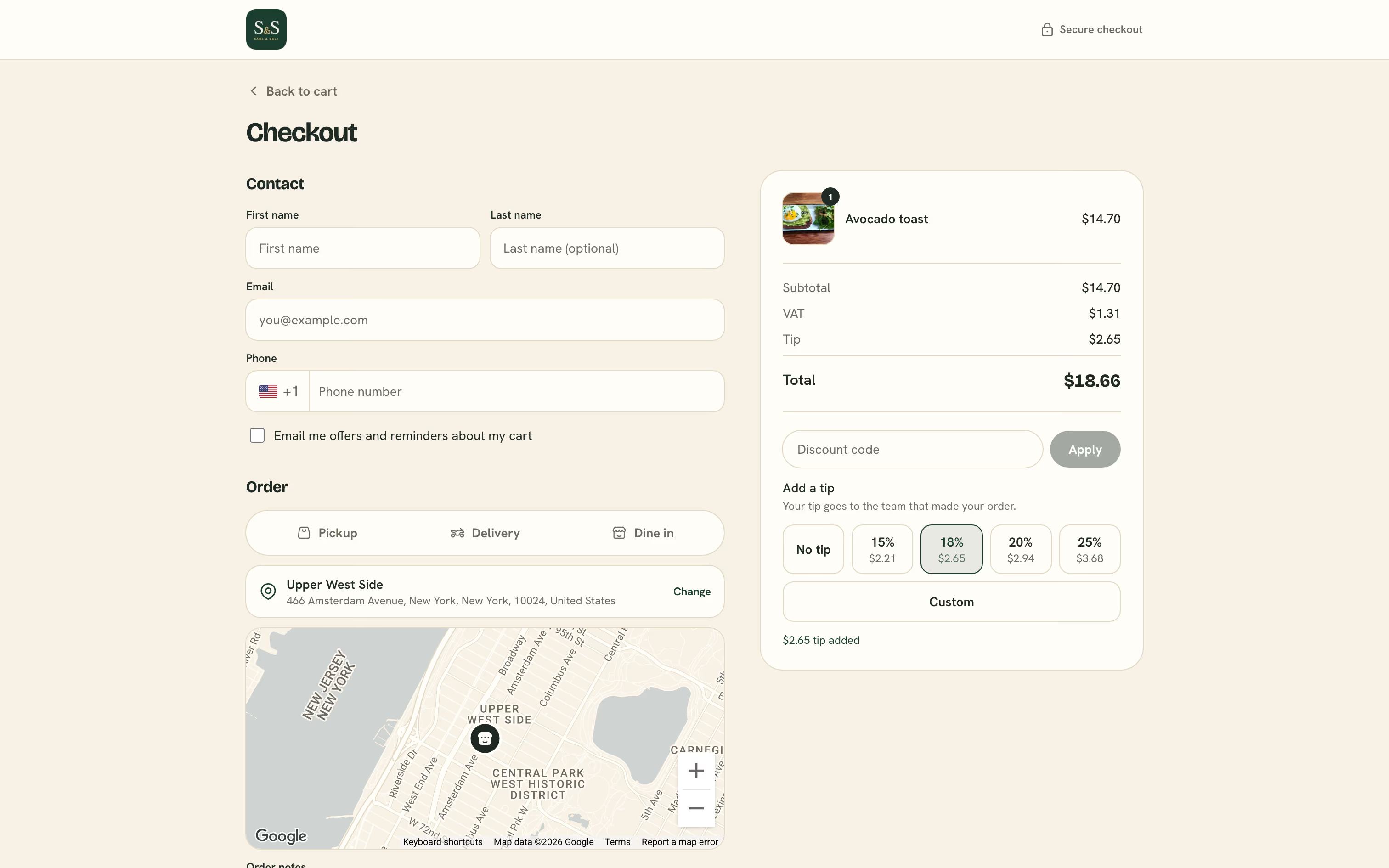
Every design gives customers the same flow: browse the menu, open a dish to pick its options and quantity, then check out with their pickup or delivery details and payment. Unavailable dishes, options and prices come straight from your menu, so there is nothing to keep in sync.
#Custom domains
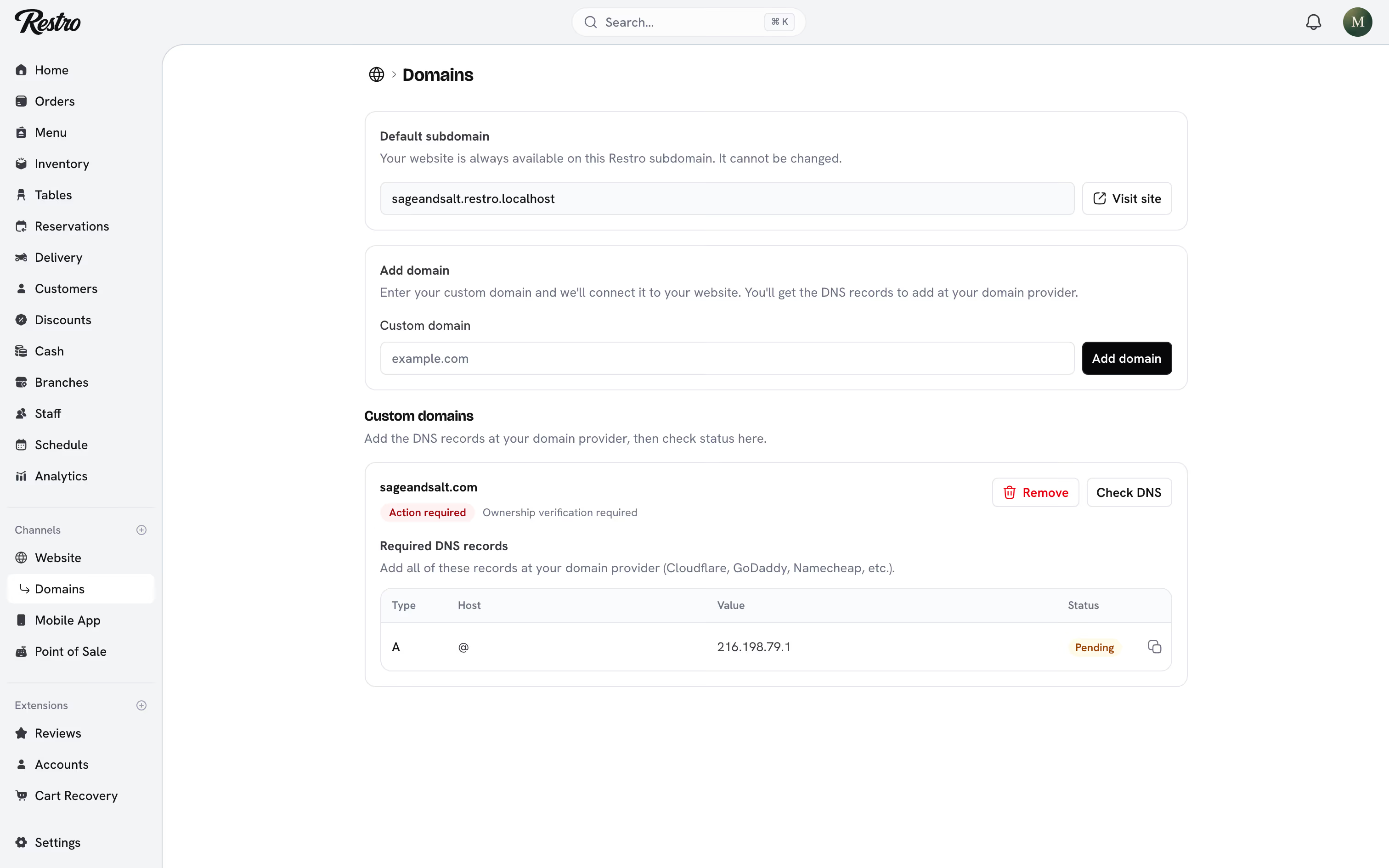
Website → Domains. Your Restro subdomain always works and cannot be changed. To use your own domain, choose Add domain, create the DNS records Restro shows you at your domain provider, then choose Check DNS. Until the domain is live, your site keeps serving from the subdomain, so customers never hit a dead link.
#Languages
Add the languages you support under Supported languages in Settings. With the Localize extension on, the website shows each customer their own language, including menu titles and descriptions. Right-to-left languages are laid out correctly. See Extensions.
#Policies
Settings → Policies. Refund, privacy, and terms of service pages. Restro provides a starting template for each; edit it to match how you operate. They are linked from your website footer and from checkout.
Did this page miss something? Tell us.
Back to top