The order lifecycle
Every status an order passes through, what each move triggers, and how voids, comps and refunds differ and who approves them.
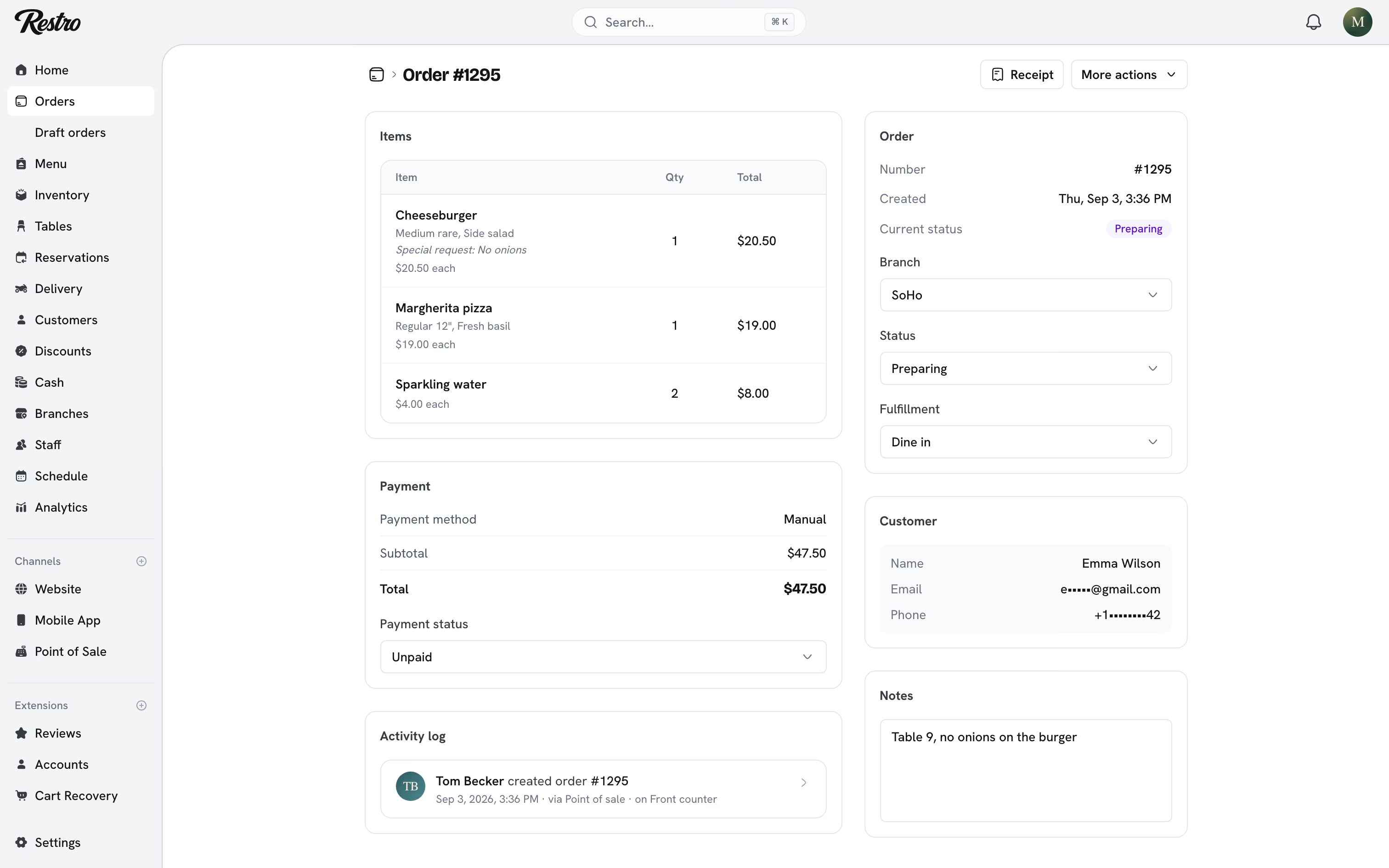
Every order follows the same path, whether it came from your website, your app or the till. You follow it from Orders, and each order's page shows its status, its payment and its history.
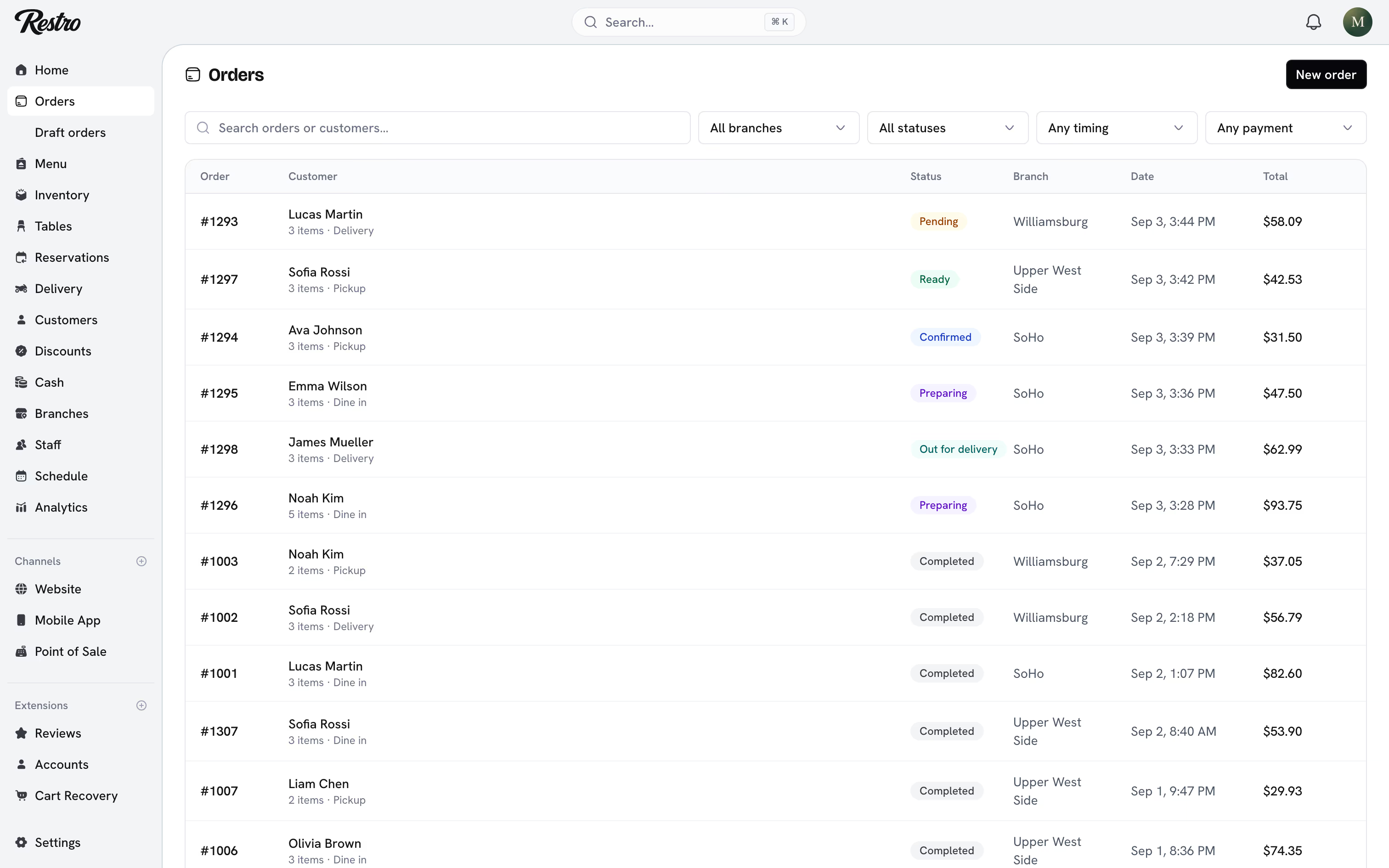
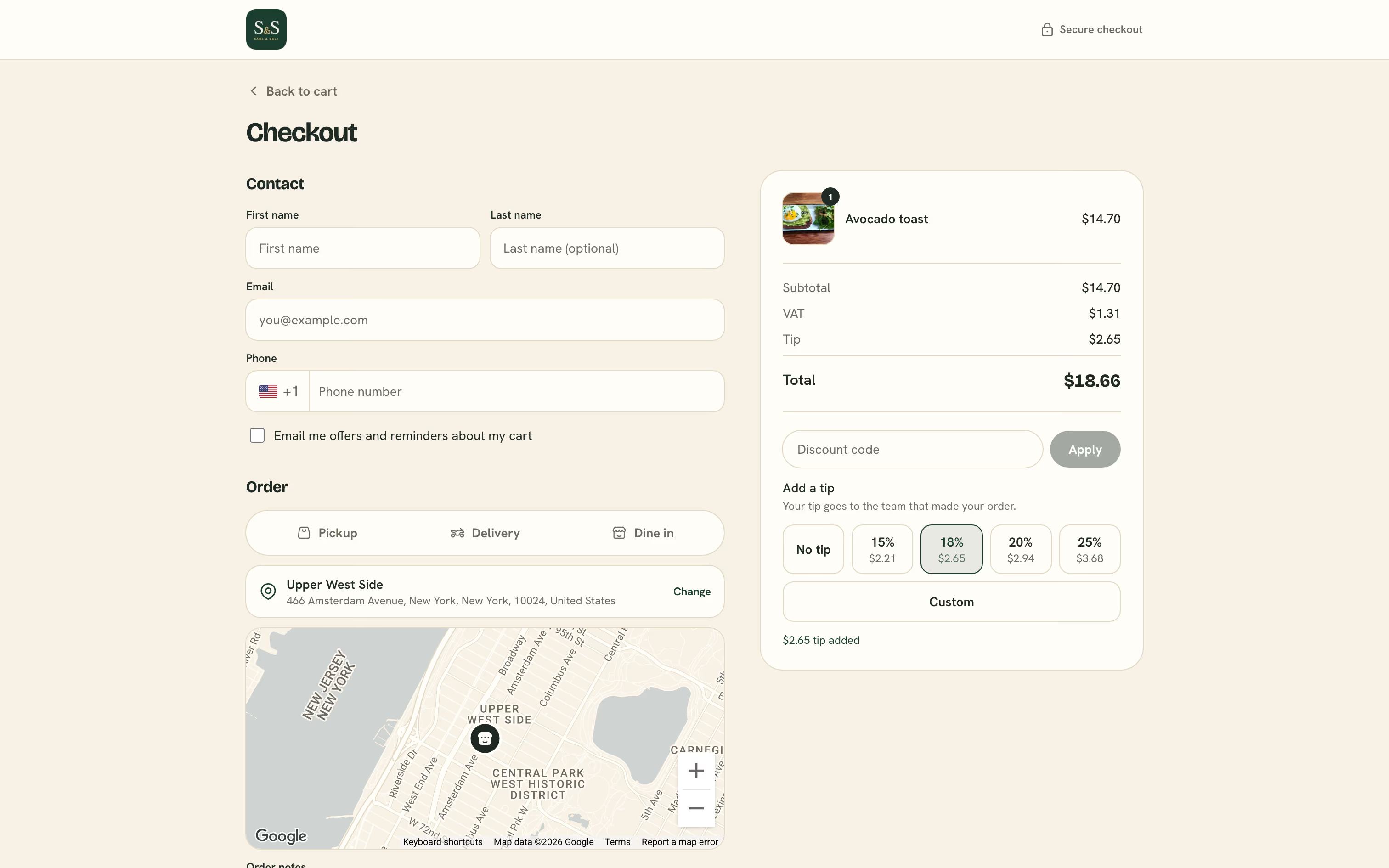
An online order starts at your storefront's checkout. The customer picks pickup or delivery, pays, and the order lands in Orders as Pending until you accept it or an automation does.
#Statuses
| Status | Meaning |
|---|---|
| Pending | Placed but not yet accepted. An online payment waits here until the provider confirms it. |
| Confirmed | Accepted by the restaurant. Stock is deducted at this point. |
| Preparing | The kitchen has started. |
| Ready | Ready for pickup, for the table, or for a driver. |
| Out for delivery | With a driver. |
| Completed | Done. |
| Cancelled | Stopped. Any stock deducted is returned. |
The kitchen display moves an order one step at a time, so a cook cannot skip a step by accident. The dashboard is more flexible, because a manager sometimes needs to correct what happened.
An order placed for a future slot starts as Pending like any other, but stays off the kitchen display until its lead time. See Order ahead.
#Payment status
Each order also has a payment status: Unpaid, Pending payment, Paid, Payment failed or Refunded. It is independent of the order status. A dine-in table can be Completed and Paid, and a cash-on-delivery order can be Out for delivery and Unpaid.
Nothing has to be paid up front. An order can stay Confirmed and Unpaid for as long as the guests are at the table. That is an open tab, and the Open tabs filter on Orders lists them all.
When your payment provider confirms an online payment, the order becomes Paid. If it was still Pending, it becomes Confirmed in the same move.
#What each move does
- Confirmed deducts the recipe ingredients from the branch's stock and counts any discount redemption.
- Ready shows the order on the pickup and driver views.
- Completed sends the review request when the Reviews extension is on.
- Cancelled returns the deducted stock and releases the discount redemption.
#Editing an order
An order can be edited while it is Pending, Confirmed or Preparing. Open it and choose Edit items to change lines, quantities, the order type, the branch, notes or the discount. Restro reprices the whole order from the current menu and adjusts stock to match.
Once an order is Ready the kitchen has already committed, and editing is closed.
#Void, comp and refund
Staff often use the three words interchangeably. Your reports do not, and choosing the right one keeps your food cost accurate.
| Revenue | Food cost | Cash | |
|---|---|---|---|
| Void | None | None, it was never made | Untouched |
| Comp | None | Real, it was made and given away | Untouched |
| Refund | Reversed | Already spent | Leaves the drawer |
Choose by what happened in the kitchen, not by what is quickest to tap.
#Voiding
Void removes something before any money changes hands. You can void a whole order or a single line. Voiding returns stock and records the reason.
An order cannot be voided once it is Completed or Cancelled, or once it has been paid. Refund a paid order instead.
If the line had already been sent to the kitchen, a void slip prints at that station. Nobody plates an item that is no longer on the bill.
#Comping
Comp is for an item that was made and then given away: a dish that came out late, or a gesture from a manager. It works on a line or on the whole order, and it takes a reason from the comp list.
A comp takes the revenue to zero but leaves the ingredients spent, so the cost still shows in Analytics → Profitability. Voiding a plate that was cooked hides that cost. Comping it does not.
#Refunding
Refund works on paid orders. You can refund the whole order or pick the lines going back.
- The amount is calculated from the lines you pick, so a partial refund can never exceed what was paid for those items.
- A full refund sets the payment status to Refunded. A partial refund leaves it Paid and records the amount refunded so far.
- Refunds go back the way the customer paid: cash from the drawer, or a reversal on the card. Refunding a card sale in cash needs a manager's PIN and a reason.
- A cash refund needs an open drawer. It reduces the expected cash in the session and shows on the shift summary.
- Return items to inventory puts the ingredients back for the lines you refunded.
- Tips are refunded separately and tracked on their own, so tip reports stay accurate.
Heads up
A refund cannot be undone. Check the lines and the amount before you confirm.
#Approval with a manager's PIN
Owners, admins, managers and supervisors can void and comp. Refunds are for owners, admins and managers. When anyone else tries, the till asks for a manager's PIN instead of refusing.
A branch can also set Manager approval above under Branches → the branch → Voids, comps and refunds. Above that amount, even staff who can void and refund need a manager's PIN. Leave it empty and no threshold applies.
Either way the action is recorded under the cashier's name with the manager as the approver. The activity log names both.
#Reasons
Every void, comp and refund takes a reason. Restro ships a built-in list. A branch can replace it with its own under Branches → the branch → Voids, comps and refunds, one list each for voids, comps and refunds.
#On the till
Open Orders on the point of sale and search by order number, table, customer or the last four digits of the card. Tap an order to see its lines, totals and history, including who voided or comped what and when. A reprinted receipt is always marked as a duplicate.
Voids, comps and refunds are listed separately on the shift summary. A shift with many comps is worth a look.
#Related
Did this page miss something? Tell us.
Back to top