Reservations and waitlist
Take bookings, send reminders, track no-shows, hold deposits on large parties, and run a waitlist on a full night.
Bookings live under Reservations in the dashboard, with Pending requests, Waitlist and Reservation report alongside. Reservations are available on plans that include the feature; check Settings → Plan if the section is missing.
#Taking bookings
Reservations lists every booking by date. A booking records the guest, party size, date and time, branch, and a note such as an allergy or a seating preference. Bookings come from your website when Accept online reservations is on for the branch, from the dashboard when someone phones, or from a walk-in.
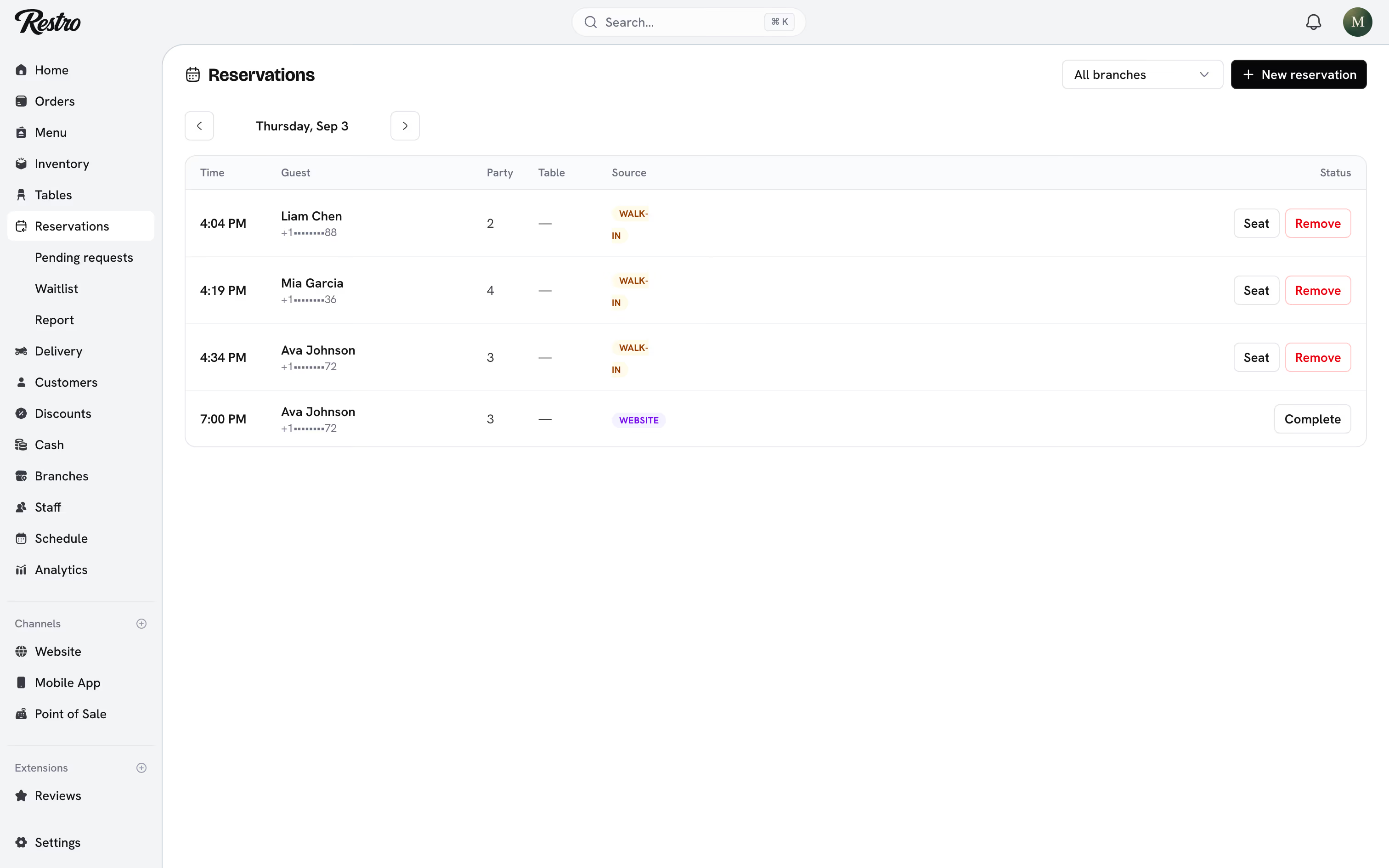
#Statuses
| Status | Meaning |
|---|---|
| Requested | Came in online and is waiting for you to confirm or decline. |
| Confirmed | The table is held. |
| Waitlisted | A walk-in party waiting for a table right now. |
| Seated | The guests have arrived. |
| Completed | The visit is over. |
| Cancelled | Cancelled by the guest or by you. |
| No-show | The guests never arrived. |
Marking no-shows is worth the ten seconds, because each guest's record builds a history you can act on.
#Reminders
Under Branches → the branch → Reservations, switch on Send a reminder and choose how far ahead it goes out. A day before is the usual choice. The guest gets an email, and a text as well when you hold a phone number for them.
The reminder carries two buttons: I'll be there and Cancel reservation. Neither asks the guest to sign in. A confirmation shows on the booking as Guest confirmed, and a cancellation frees the table straight away. Moving a booking to a new time resets its reminder.
#No-shows
Mark a no-show by hand from the booking's status menu at any time.
You can also let Restro do it. Switch on Mark no-shows automatically and set how long to keep holding the table past the booked time, thirty minutes by default. Anything still unseated after that is recorded as a No-show and marked as automatic. Seating the guest first stops it.
#Guest history
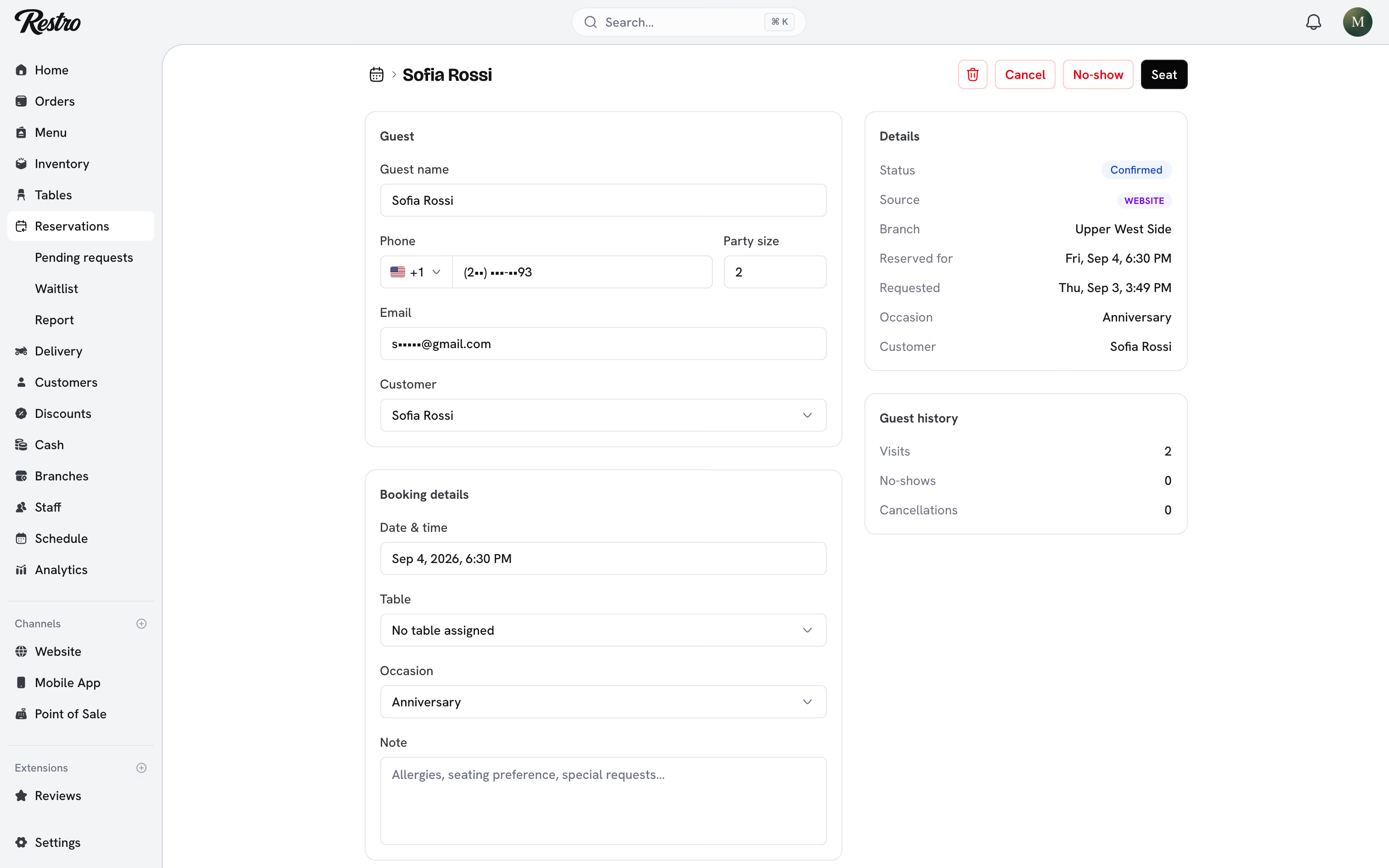
Every booking with a linked customer shows Guest history: visits, no-shows and cancellations. A guest who has missed a booking before is flagged, so you can decide whether to confirm the table or ask for a deposit first.
#Deposits on large parties
Under Branches → the branch → Reservations, switch on Take a deposit on big tables. Set the party size it starts at and the Amount per guest. A party of that size or larger booking online is asked to pay before the table is held. Smaller parties book as before.
Free cancellation until sets the window, twenty-four hours before the booking by default. A guest who cancels before the window closes gets the deposit back in full. Cancel a booking yourself and the deposit always goes back, whatever the window says. A no-show keeps the deposit.
Deposits go through the online payment provider set up under Settings → Payments. Without one, bookings still come through, just without a deposit. Restro records each refund on the booking; send the money itself from your provider's dashboard.
#Reservation report
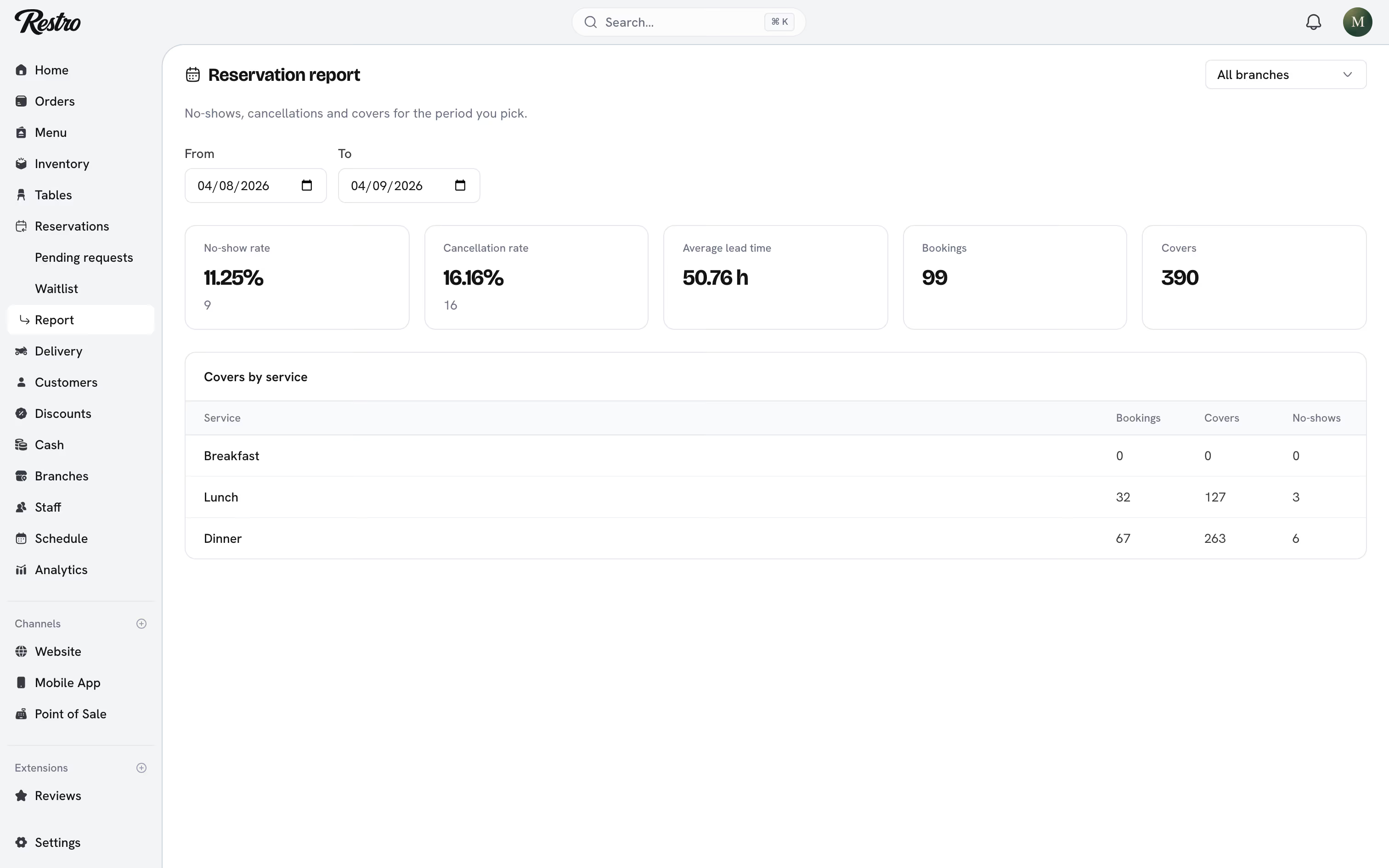
Reservation report covers the date range and branch you pick. It shows your no-show rate, cancellation rate, average lead time, bookings and covers, plus covers by breakfast, lunch and dinner service.
#Pending requests
Online booking requests land in Pending requests for someone to confirm or decline, rather than confirming themselves into a full room.
#Slots and capacity
Restro builds bookable slots from the branch's opening hours and seat capacity, so your website never offers a time you cannot serve.
#Waitlist
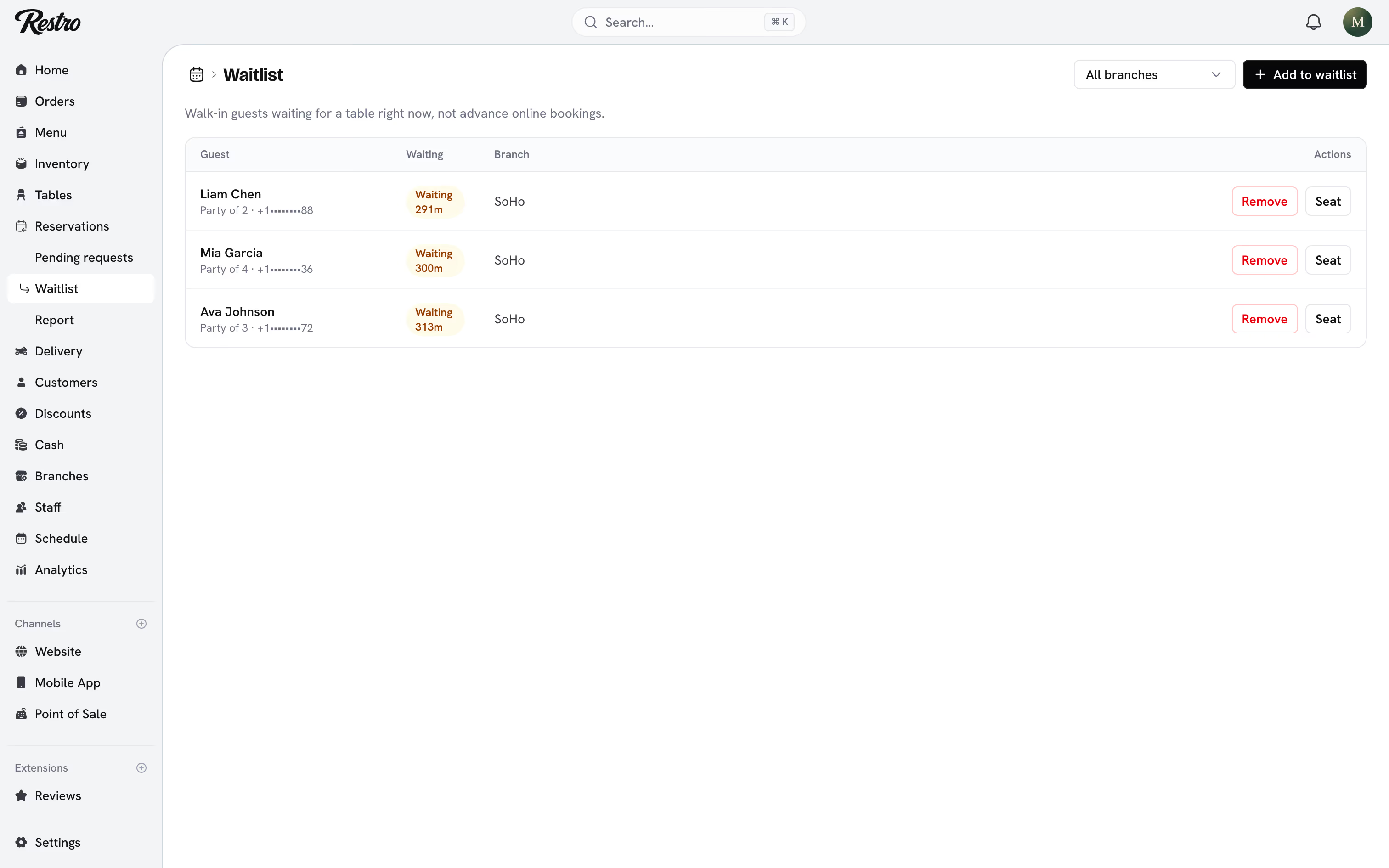
Waitlist is for walk-in guests waiting for a table right now, not advance bookings. Add a party with its size and the list shows how long each has waited. Tap Seat when a table is ready, or Remove if they leave.
When a cancellation frees a table, the guest who has waited longest and fits it is texted that a table has opened. Take the booking the usual way once they answer.
Did this page miss something? Tell us.
Back to top