Delivery
Draw delivery zones with their own fees and minimums, see how a branch is chosen for an order, and hand deliveries to drivers.
Delivery is set up per branch under Delivery. Switch on Enable delivery for the branch, then define where you deliver.
#Zones
A zone is either a radius around the branch or a custom area you draw on the map. Each zone has its own name, color, Delivery fee and Minimum order. Mix both kinds freely: a tight radius with a low fee, and a drawn area further out with a higher one. Zones can overlap, and the customer's address is matched to the best zone it falls in.
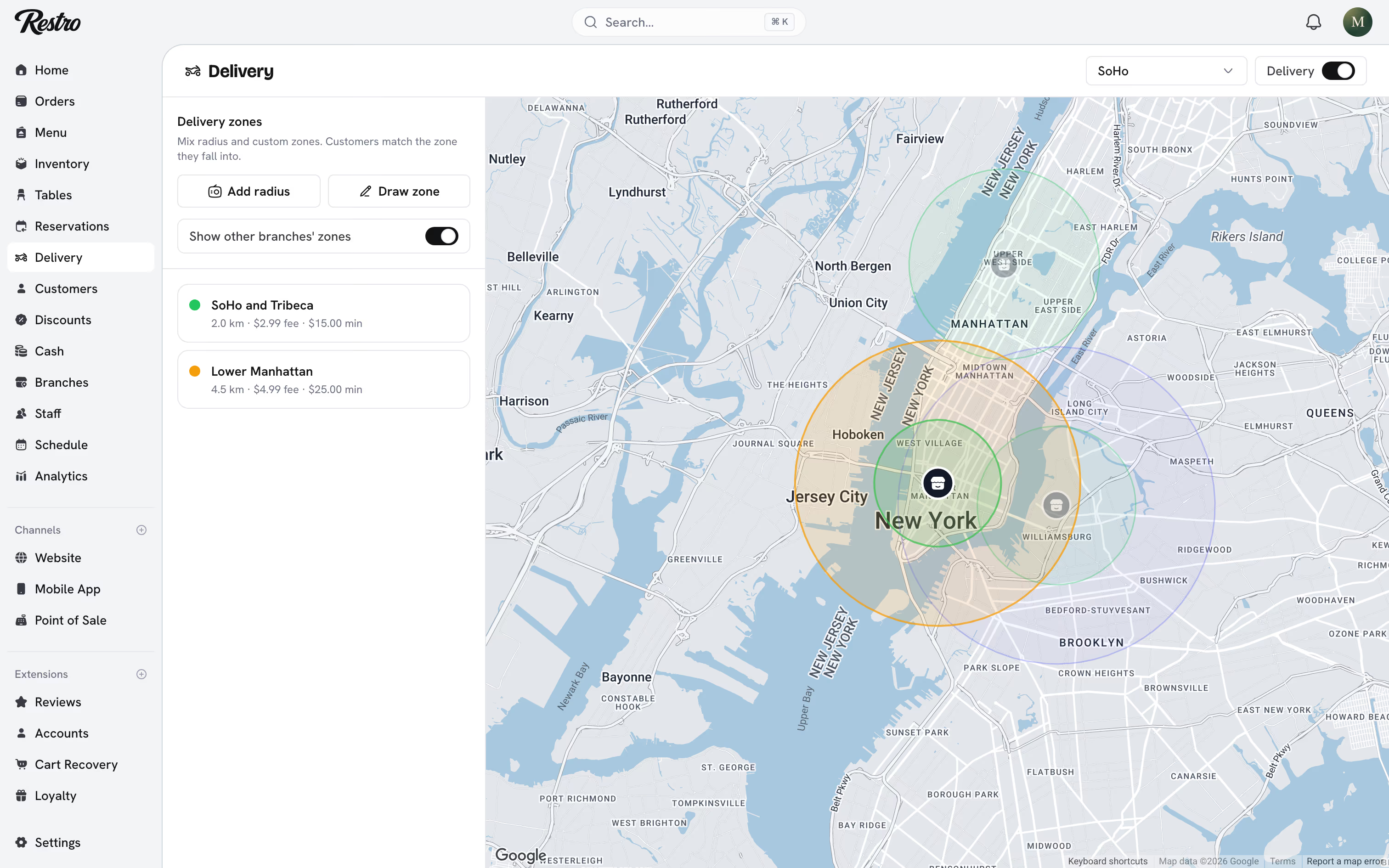
Turn on Show other branches' zones while you draw, so Williamsburg's area does not swallow SoHo's.
#How the branch is chosen
For a delivery order, Restro finds every branch whose zones cover the address, then picks the closest one that is open. If you run several branches in one city, this is what stops an order crossing town.
#Fees in reports
The delivery fee comes from the matched zone and is recorded on the order separately from the food subtotal. Reports never mix delivery revenue with food revenue.
#Drivers and the driver app
Drivers use the driver app and see only the deliveries assigned to them. From the app they mark an order Out for delivery when they leave and Completed when it is handed over. A Driver who signs in lands straight in the app and sees nothing else.
#Addresses
Customer addresses are checked and placed on the map as they are entered. The order keeps its own copy of the address and location. A customer editing their address book later does not change an old order.
#Related
Did this page miss something? Tell us.
Back to top