Tables and open tabs
Build floor plans, run tabs from the till or from guests' phones, and settle the bill at the end of the meal.
Tables and tabs live under Tables and Open tabs in the dashboard, and on the Floor screen of the point of sale.
#Floor plans and QR codes
Under Tables, build a floor plan per branch. Add a layout for each area, drop tables in, and set each one's shape, seats and color. Name them the way your staff do: Table 9, Patio 3. A layout can be copied from another branch.
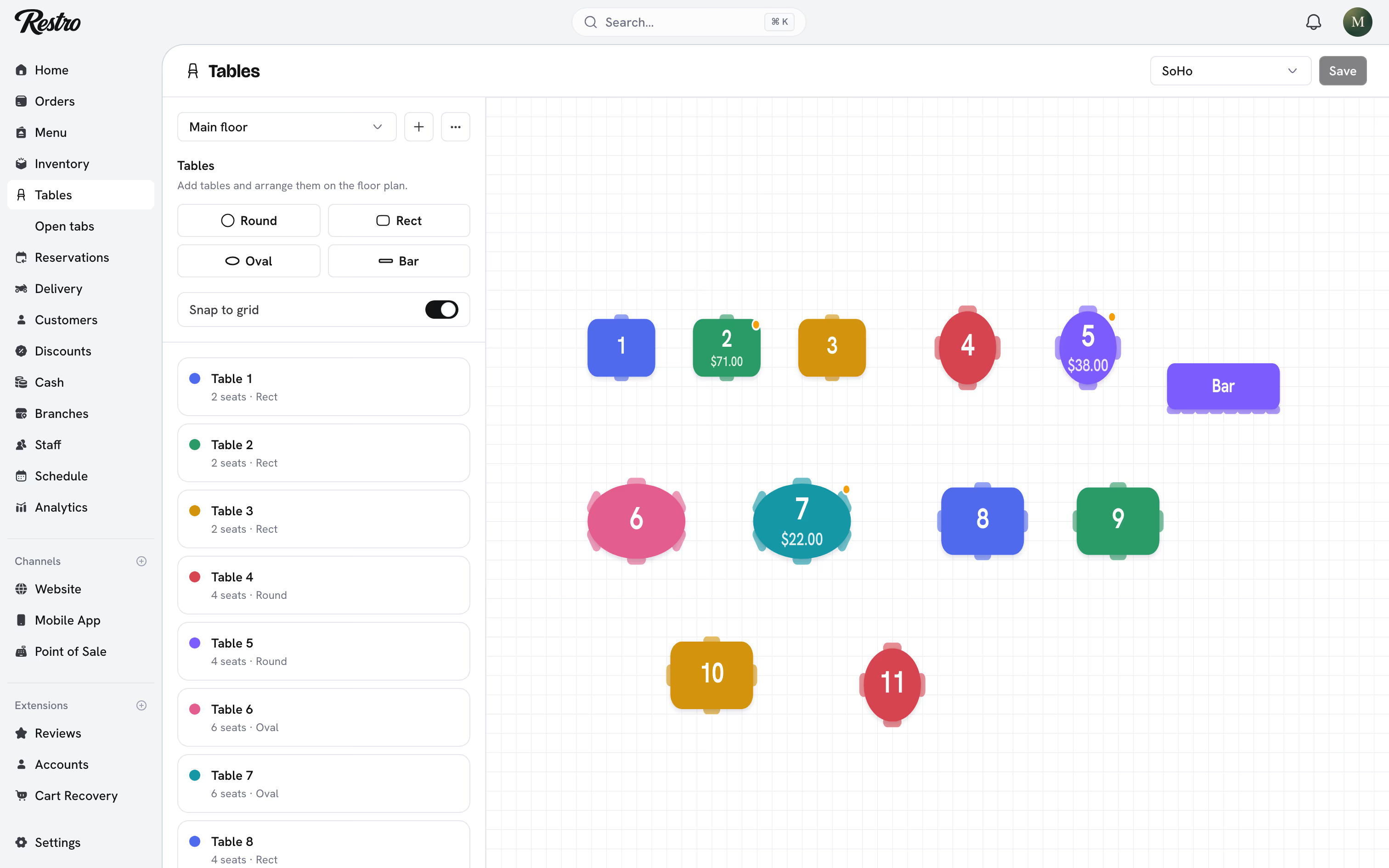
Each table gets a QR code. Open a table to view its code, or export them all for printing. Issuing a new code makes printed copies of the old one stop working.
Once a table has an open tab, it is filled in on the plan with the amount still owing.
#Table sessions and open tabs
A table's tab opens when a guest scans its QR code, or when a server starts one from the till. One tab groups several orders from several guests, tracks who ordered what, and stays open until it is paid or closed.
#Running a tab from the till
Point of sale → Floor draws the same plan as the dashboard. Free tables are outlined; tables with a tab are filled in with what they owe. A branch with several areas gets a button per layout above the plan.
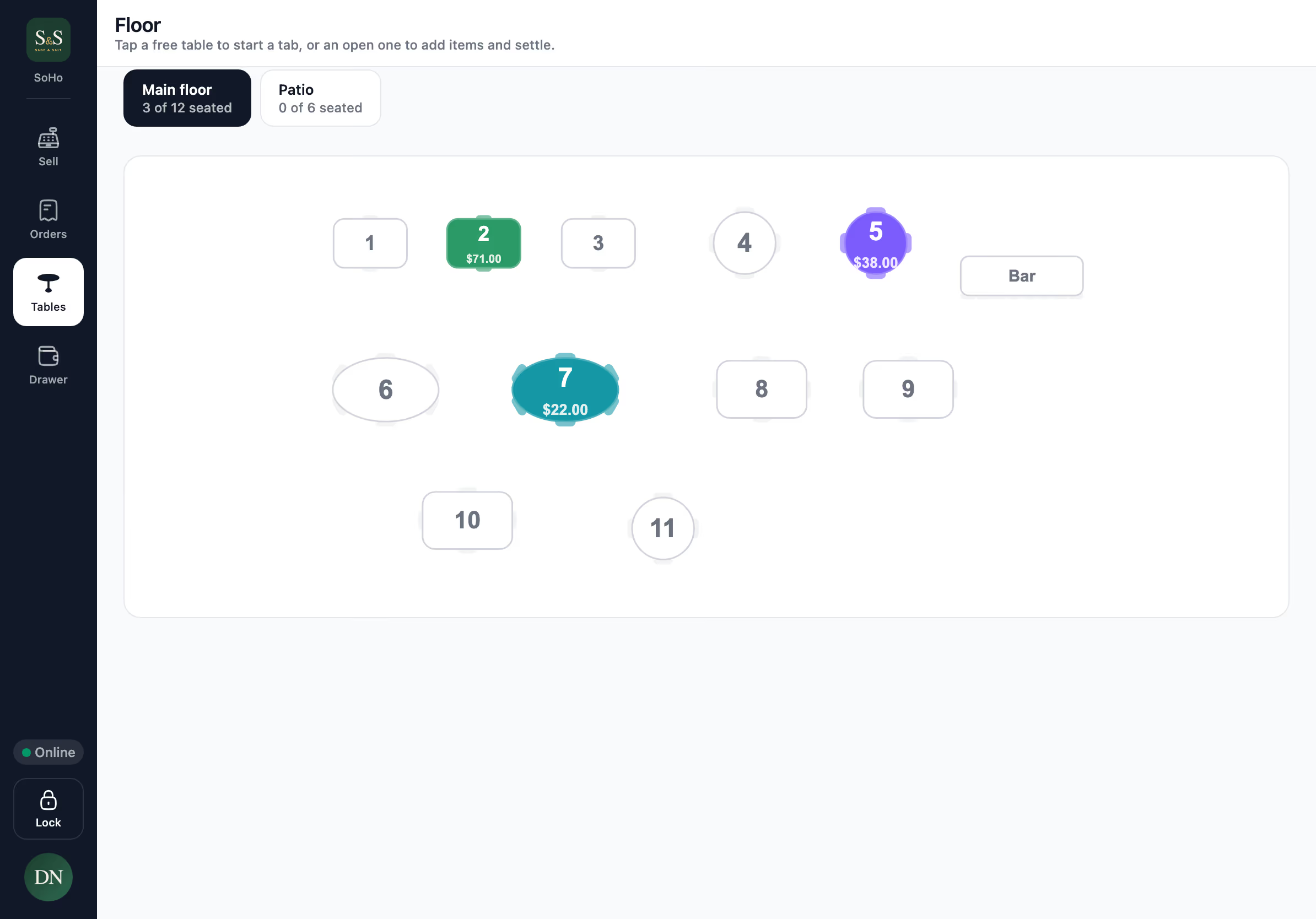
- Tap a free table to start a tab. The table is attached to the cart and the order type switches to Dine in.
- Ring in the items and tap Send to kitchen. The order is created unpaid and the kitchen ticket prints. Nothing is charged yet.
- Add a round. Open the tab, tap Add items, then Send round. The items join the same bill as a new round with its own kitchen ticket, and the guests keep one order number all night.
- Pay at the end. Open the tab and tap Pay tab. Cash, card, splitting and tips work as on any sale. When the balance reaches zero the table frees itself.
Print bill prints a pre-receipt for the guest to check before paying.
A tab does not have to be a table. Tap the table row on the ticket and type a name instead, such as a bar seat or a customer's name. Named tabs appear under Other tabs on the Floor screen.
Opening a tab needs a connection. If the terminal is offline, Send to kitchen is unavailable; charge the order now instead, which works offline like any other sale.
#Tabs on the kitchen display
A tab moves through the kitchen round by round, not as one order. It stays on the board until its last round is served. See Kitchen display.
#Guests ordering from their phones
Turn on QR code ordering for the branch. The first guest to scan becomes the host; others scan and join, and the host approves them from their own phone. Everyone orders into one shared tab, and a round added at the till lands on the same bill.
How guests pay is set per branch:
- Pay when ordering: each order is paid by card before it reaches the kitchen.
- Add to table tab: orders go to the kitchen unpaid and staff settle at the counter. Set an Unpaid tab limit to cap what a table can run up before it must pay.
Tabs a server opens at the till always run unpaid until someone takes payment.
#Settling from the dashboard
Open tabs lists every running tab with its rounds, who opened it, how long it has been open and what is outstanding.
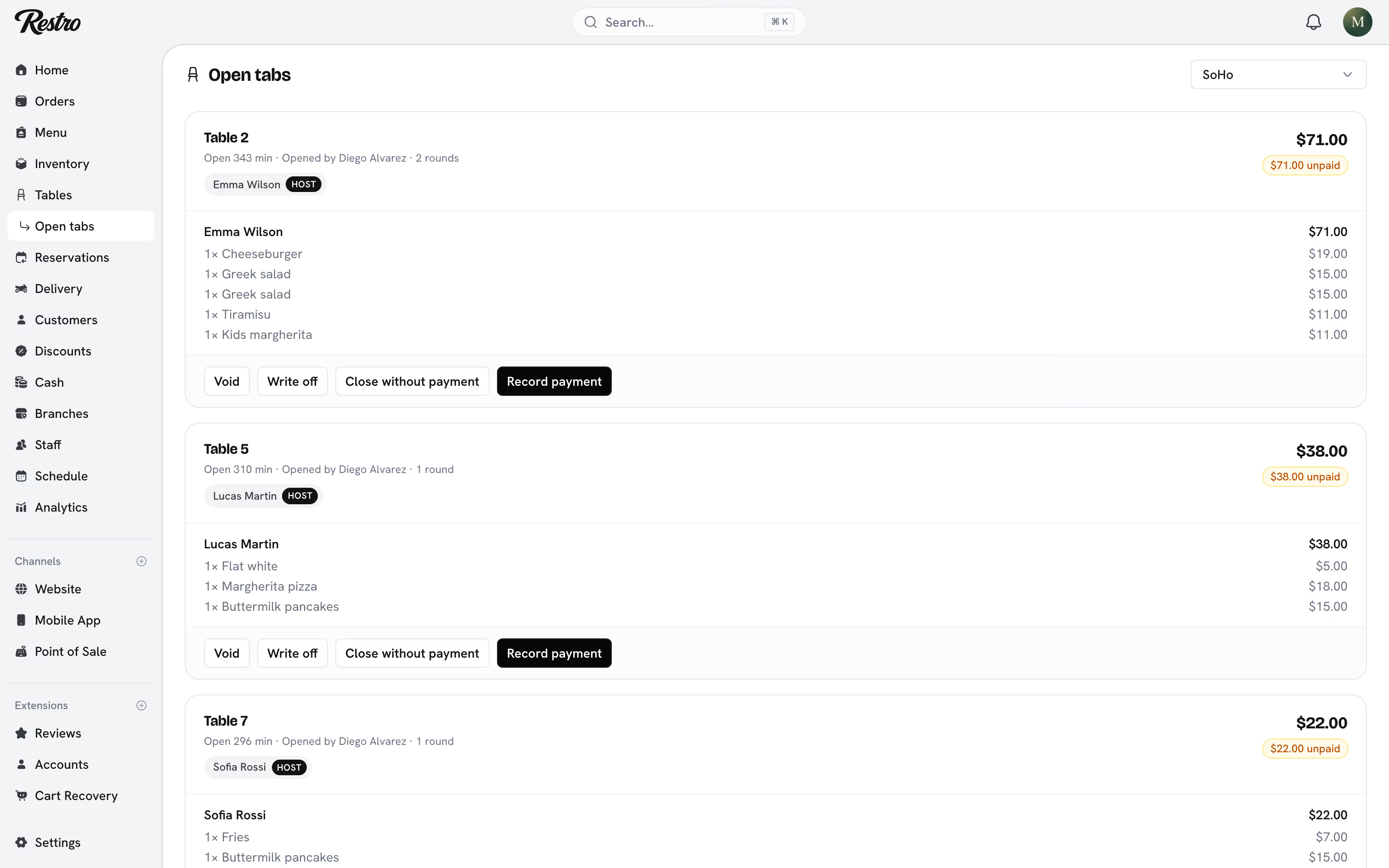
Record payment takes the money against the tab. Pick Cash, Card or Other and the amount. It is applied to the tab's unpaid orders oldest first, lands in the till like any other payment, and closes the table once nothing is owing.
Close without payment is for a tab that was settled some other way. It marks the orders paid but records no money against the till. Use Record payment whenever the guest is actually paying.
#A tab is not a sale until it is paid
Until a tab is paid it does not appear in the Orders list, and it is not counted as revenue in Analytics or on Home. Once paid it becomes an ordinary sale and behaves like any other Completed order. Its order number is held from the moment it opens.
Cash-on-delivery orders are different. They are real sales already on their way, so they count as revenue before the driver collects.
#Finding open tabs
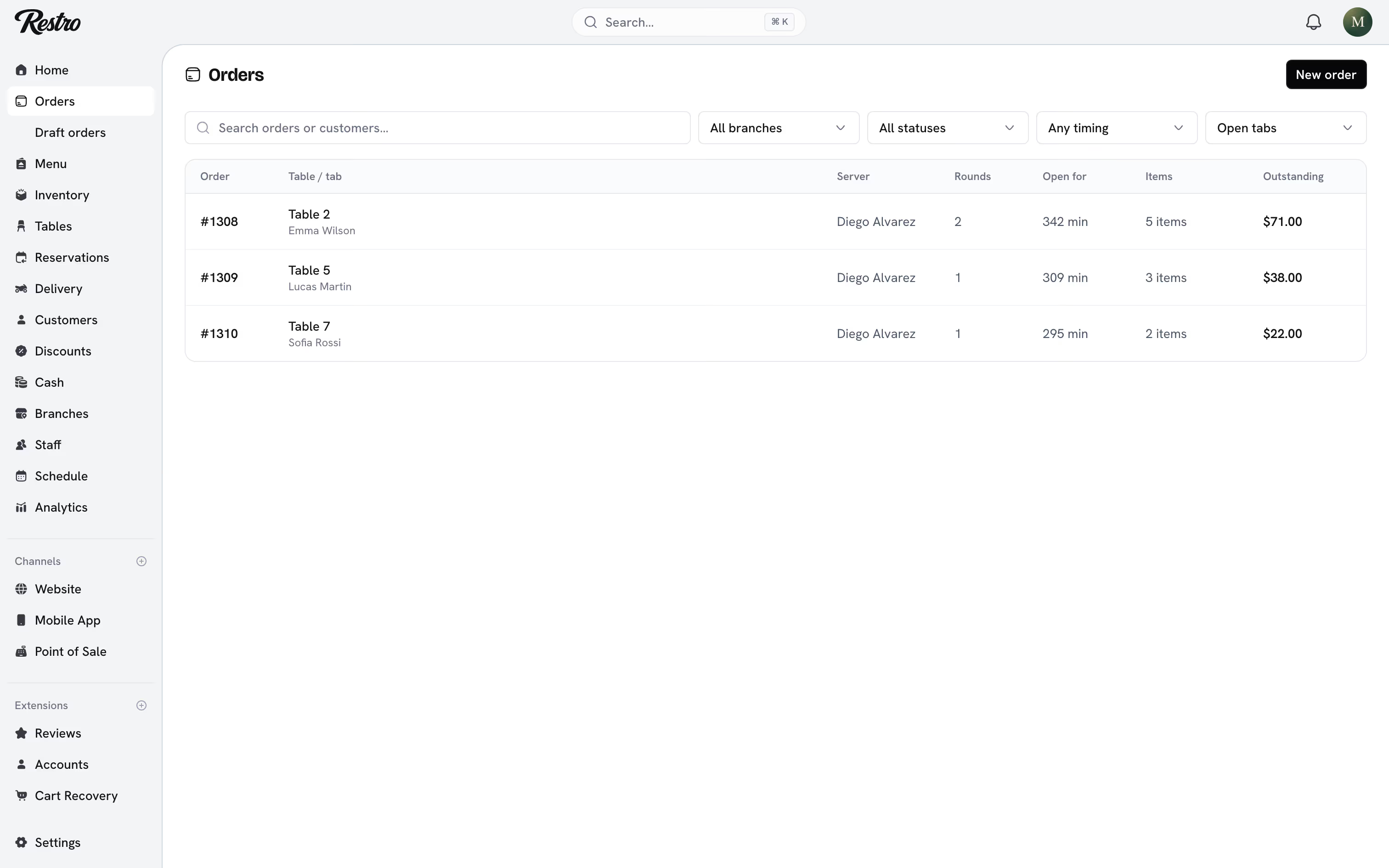
Orders has a Payment filter with three views: Any payment (your sales), Open tabs (everything still running, oldest first) and Written off. The Open tabs view shows the table or tab name, the server, the rounds, how long it has been open and what is outstanding. Searching orders matches table labels and tab names too.
#Writing off a walk-out
If a table leaves without paying, Write off on the tab records it honestly: the food was made, nothing was collected. A written-off tab is excluded from revenue and appears under the Written off filter, so the loss stays visible.
Heads up
You cannot write off a tab that has taken money. Refund what was collected first.
#Idle sessions
Set Close idle tabs after on the branch. A tab with no activity for that many minutes closes on its own, so the next party starts fresh.
#Tips
Turn on Accept tips for the branch, choose the suggested percentages, and pick whether they are calculated before or after discounts. Tips are attributed to the staff member who served the table and feed Analytics → Tips.
#Related
Did this page miss something? Tell us.
Back to top