Cash management
Open the drawer with a float, record pay ins and pay outs, close with a count, and understand the variance.
Cash tracks the physical cash in each branch's drawer from the moment a shift opens to the moment it is counted down. It is available on plans that include cash management.
#Sessions
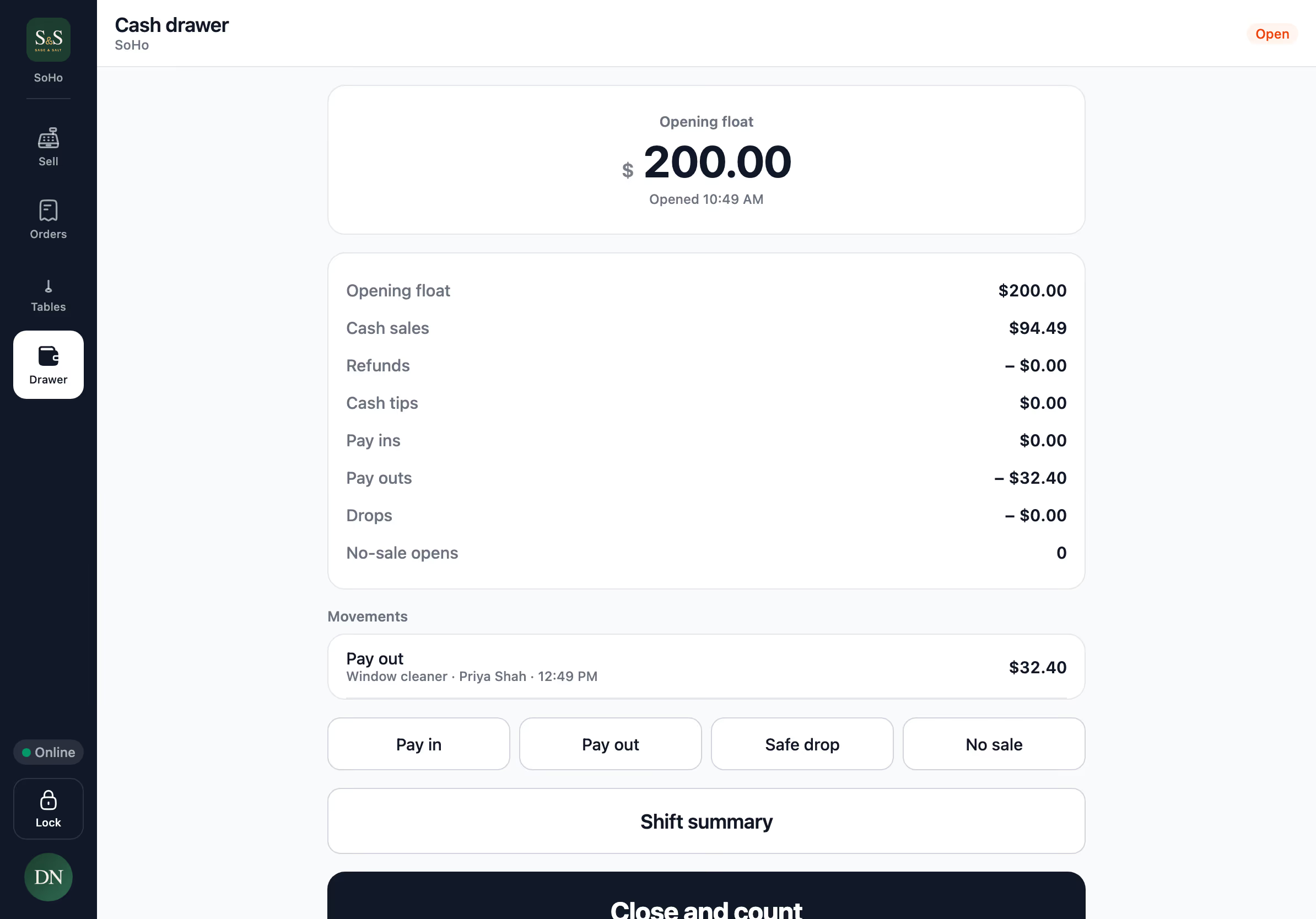
A cash session is one drawer, at one branch, opened by one person. Only one drawer can be open per branch at a time.
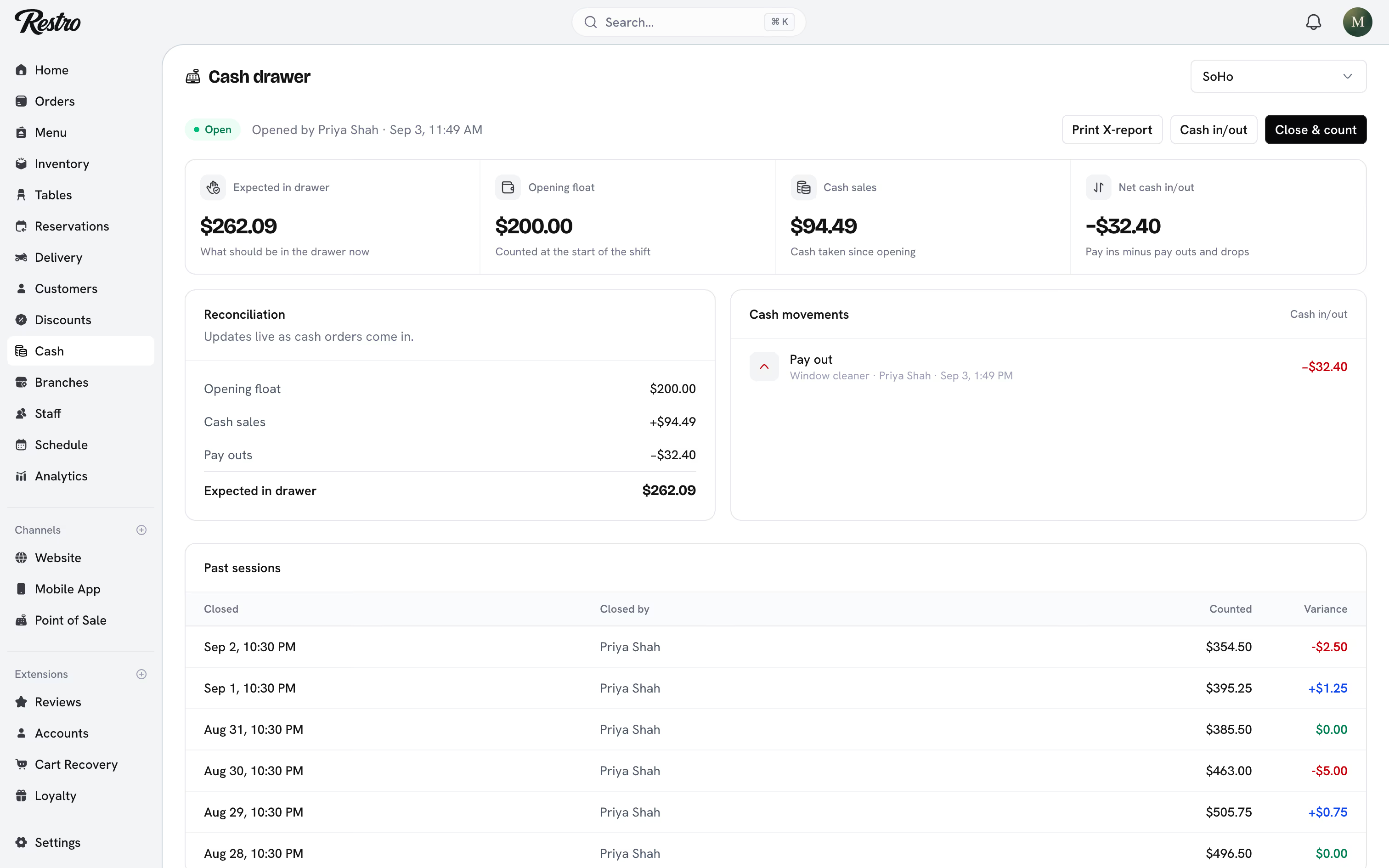
- Open the drawer by counting the cash already in it and entering it as the Opening float.
- Close & count at the end of the shift by entering the Counted cash.
Restro compares your count with what should be in the drawer. That is the float, plus cash sales and pay ins, minus pay outs, cash drops and cash refunds. The difference is the variance, shown as Balanced, Over or Short. That number is what the whole feature exists to produce.
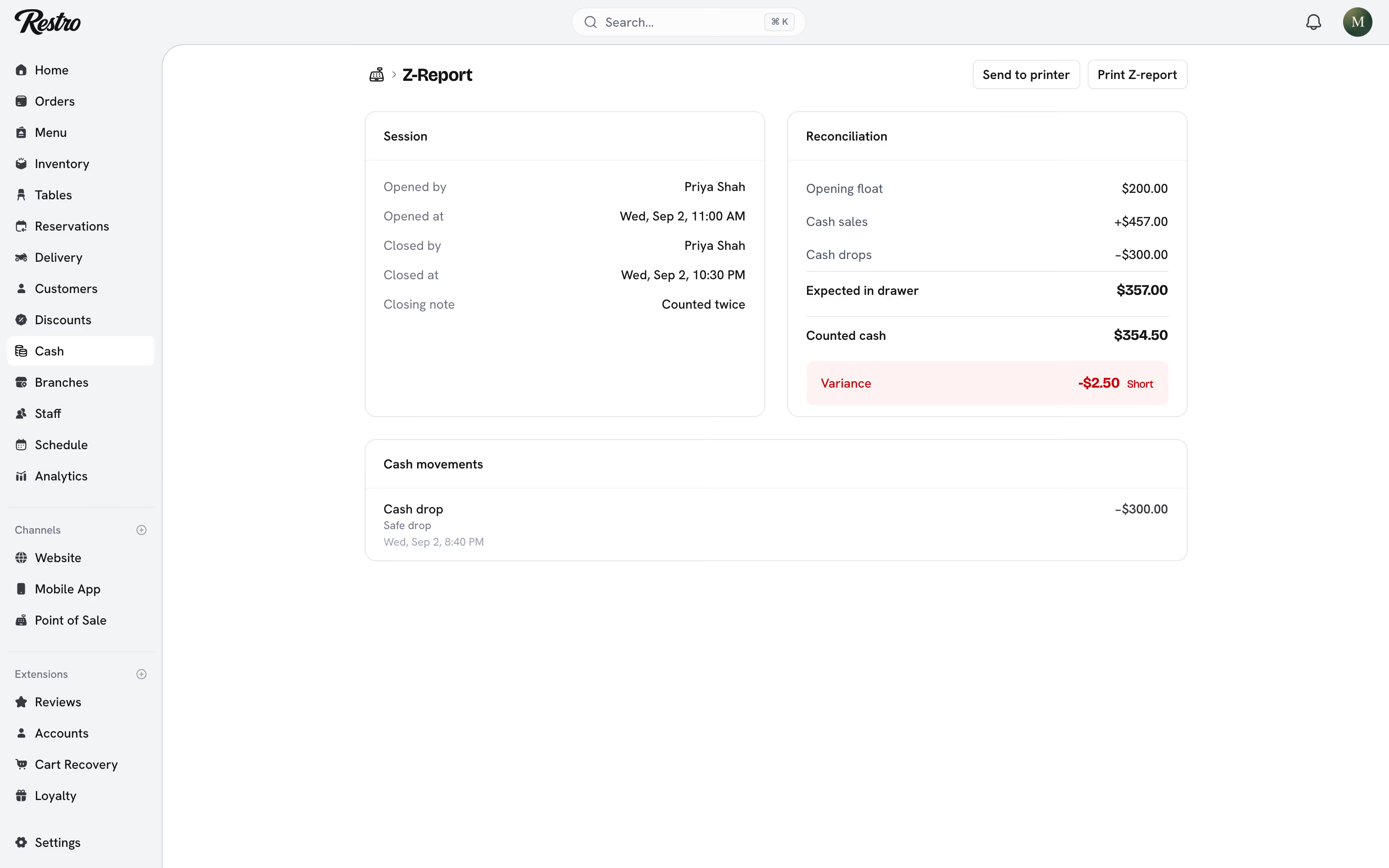
Only cash counts. A bill split between cash and card puts only its cash share in the drawer. Card sales never inflate what the drawer should hold. See Taking payment for how a bill is split.
#Movements
During a session, click Cash in/out to record cash that moved for a reason other than a sale:
- Pay in: cash added to the drawer, such as extra float.
- Pay out: cash removed to pay an expense, such as a delivery from Hudson Valley Produce.
- Cash drop: cash moved to the safe mid-shift to reduce what is in the drawer.
Each movement takes an amount and a reason, and is attributed to whoever recorded it.
#X and Z reports
The X report is a snapshot of an open session that you can print mid-shift. The Z report is the closing report, produced when the drawer is closed.
Both list the float, cash sales, cash refunds, tips, movements and the reconciliation, with voids and comps on separate lines. Voids and comps look identical to a cashier and very different to your food cost, so they never share a total.
#After an outage
If a terminal loses its connection, staff keep taking cash. Each sale is filed against the drawer that was open when the customer paid, not whichever drawer is open when the terminal reconnects.
A drawer cannot be closed while the terminal still has sales waiting to send. The close button waits and says how many orders are outstanding. Reconnect, let them send, then count.
If a late sale arrives after a session was already closed, the expected amount and the variance are recalculated. The outage adds no variance of its own. A variance that remains is a real counting difference.
#Closing with a large variance
On the point of sale, a drawer that is over or short by more than $5 cannot be closed quietly. The cashier gives a reason and a manager approves the close with their PIN. The activity log records both people.
#Who can do what
| Role | Cash |
|---|---|
| Owner, Admin, Manager | Open, close, record movements, and see every session and report |
| Supervisor, Cashier | Open, close and record movements at their own branches |
| Accountant | See sessions and reports, read-only |
Other roles do not see the cash pages.
#Reconcile every shift
Close the session at the end of every shift, not the end of the day. A variance on a four-hour session is traceable. A variance across sixteen hours and three people is not.
Tip
Have the person who opened the drawer count it down. A count by the same hands removes one variable when the variance is not zero.
Did this page miss something? Tell us.
Back to top