Staff and invitations
Invite people to your restaurant, assign their branches, set up terminal PINs, and remove access when someone leaves.
Staff lists everyone who works at your restaurant, with their role, branch access and status. This page covers bringing someone on, keeping their access right, and taking it away.
#Inviting
Click Invite member. Enter the person's name and email, pick a role, choose the branches they can access, and click Send invitation. Restro emails them a link.
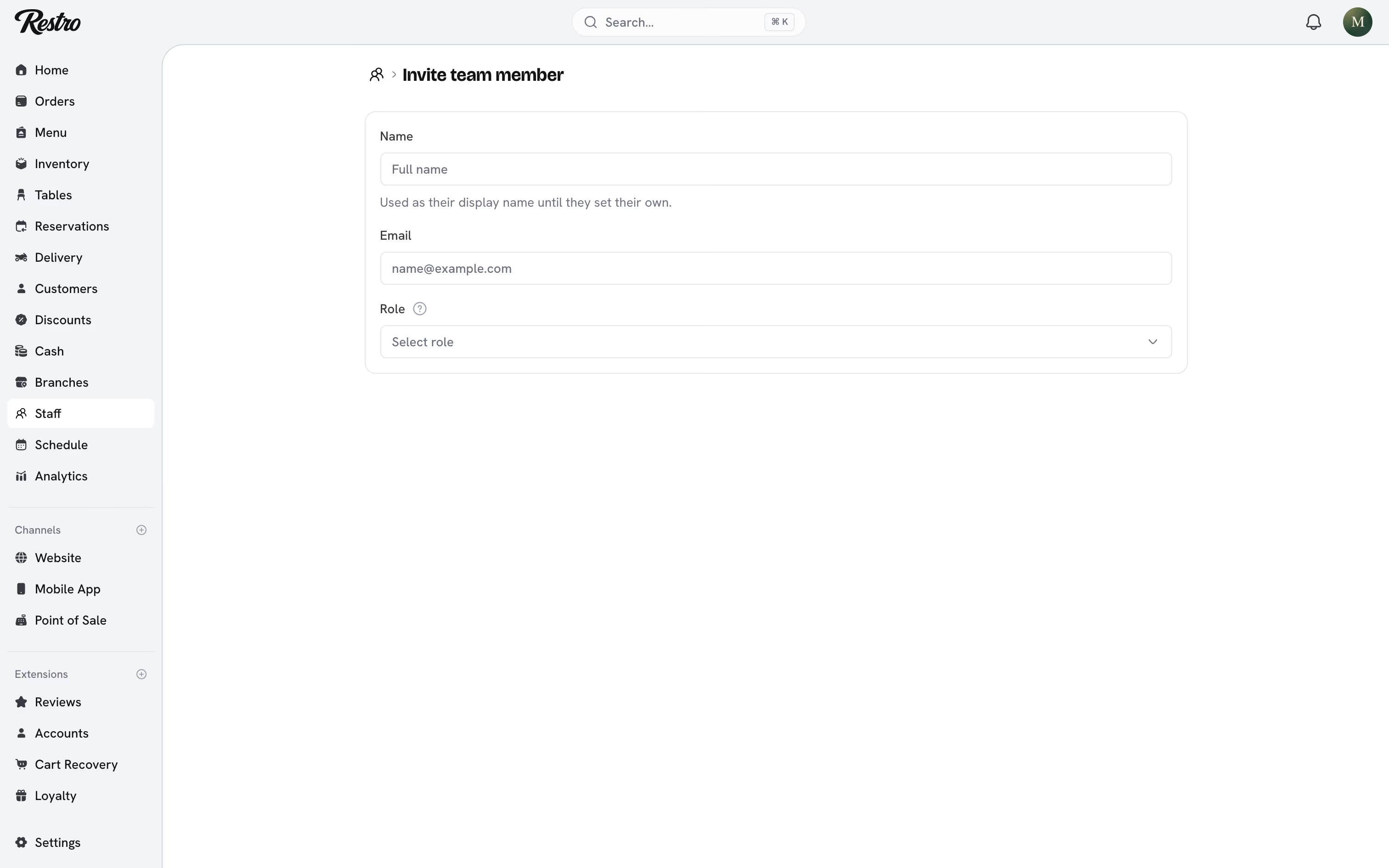
The person does not need a Restro account first: accepting the invitation creates one. An invitation shows as Pending until it is accepted and expires after seven days. You can revoke it at any time from the person's page.
You can also enter an Hourly rate. It is used to cost clocked hours in profitability reports. Leave it at 0 for anyone not paid by the hour.
#Seats
Your plan sets how many staff seats you can fill. Pending invitations count towards the limit, because they are about to become people. If an invitation is refused with a limit message, revoke an unused invitation or upgrade under Settings → Plan.
#Assigning branches
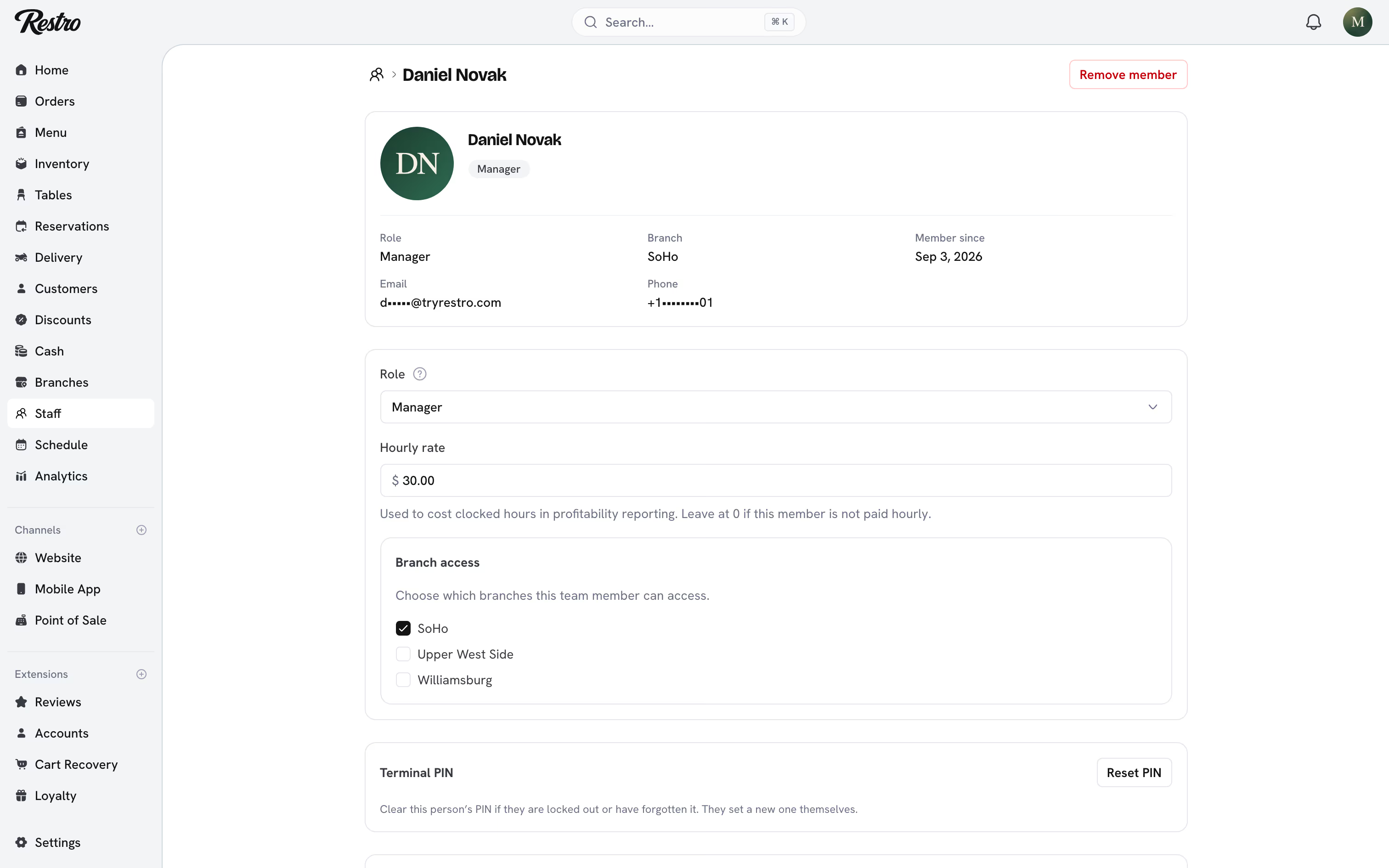
Branch access is set when you invite someone and can be changed later from their page. For branch-scoped roles (everyone except owners, admins, marketing and accountants) an empty assignment means an empty dashboard, so always tick at least one branch.
#PINs and terminals
Staff apps (the point of sale, the kitchen display, the waiter and driver apps) run on a paired terminal rather than a personal login. Pairing binds the device to one restaurant and one branch. After that, each staff member signs in on it with a six-digit PIN, so a shift handover takes seconds.
A PIN is not a password. It only works on a terminal that is already paired, and only for someone with access to that branch. Nobody can read it back, including you.
- Setting one. Each person sets their own PIN under Terminal PIN on their profile, or from the account screen in any staff app. Six digits, with no repeated digits like 111111 and no runs like 123456.
- Resetting one. A manager clicks Reset PIN on the person's page. The old PIN is cleared, they are signed out of every terminal, and they set a new one themselves.
- One per restaurant. A PIN is never shared across restaurants. Someone who works at two never has one PIN that opens both.
- Wrong guesses. Five wrong guesses in a row lock the PIN for one minute. Each further run of five extends the lock, up to an hour. Resetting the PIN clears the lock.
An idle point of sale locks itself back to the staff picker after about ninety seconds without a touch. It stays paired, so the next person taps their name and enters their PIN.
Everything done after signing in is attributed to that person: orders, tips, cash movements, voids and refunds.
#Removing access
Click Remove member on the person's page. Access ends immediately: their PIN stops working, and every dashboard tab and terminal they are signed in to is signed out within seconds. Changing someone's role has the same reach. If the new role no longer covers an app, they are signed out of it.
Their history stays. Orders they took, cash sessions they ran and activity log entries keep their name.
If they were signed in to a terminal that still holds orders waiting to send, those orders stay on it. The lock screen says how many. They send when that person signs in again. If they cannot, a manager can discard them from Account on the terminal. Nothing is dropped without someone choosing to drop it.
#Related
Did this page miss something? Tell us.
Back to top