Scheduling and timesheets
Build a weekly schedule per branch, let staff clock in and out, review timesheets, and correct a missed clock-out.
Schedule is where you plan who works when, and Timesheets is where you review the hours they actually worked. Both are available on plans that include staff scheduling.
#Building a schedule
Open Schedule, choose the branch, and use the week view to plan each day. Click Add shift, pick the staff member, and set when the shift starts and ends. You can add a position such as Line cook and a note.
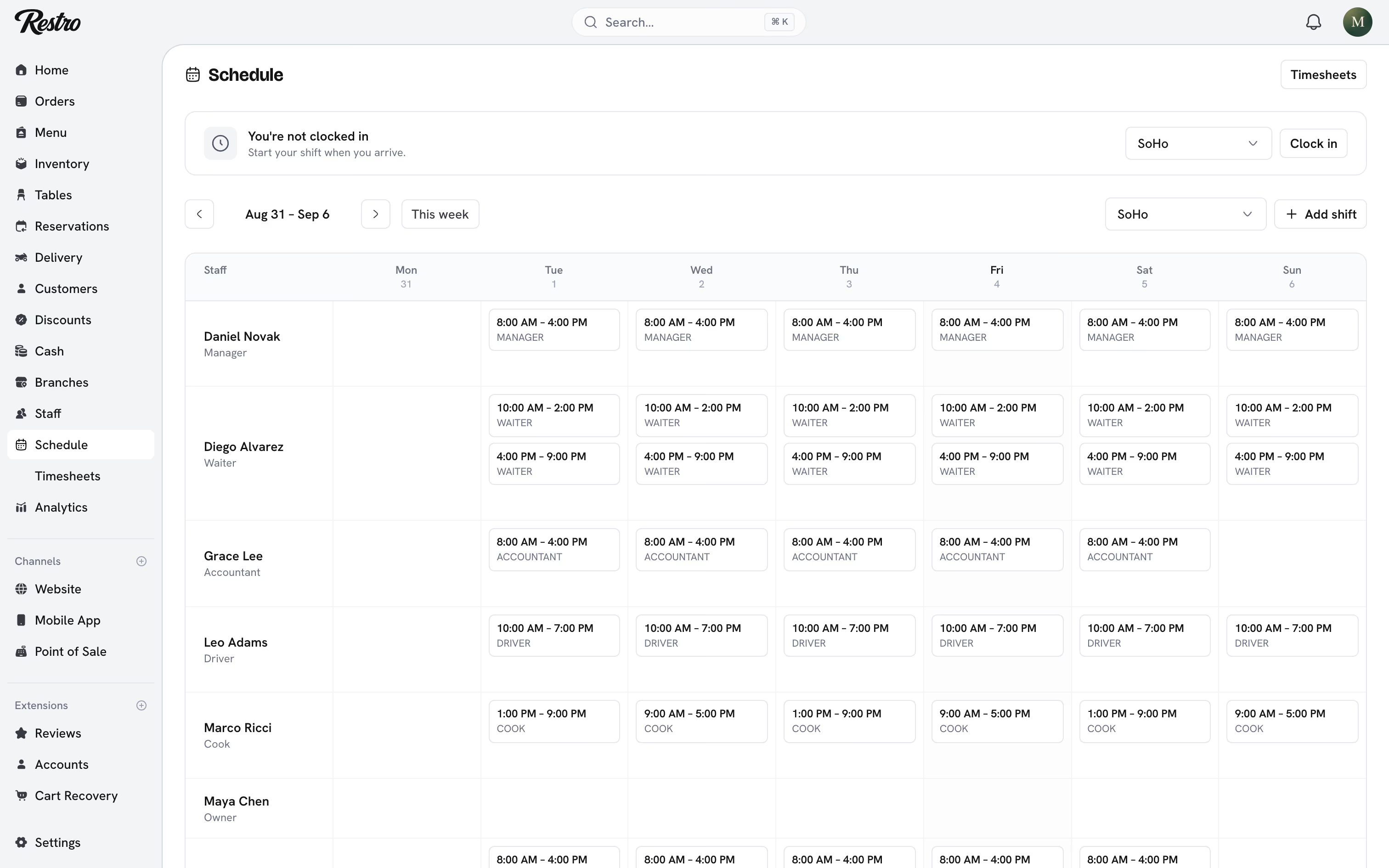
A shift can repeat daily, weekly or on specific weekdays, ending after a number of occurrences or on a date. When you edit a repeating shift, Restro asks whether the change applies to this shift only, this and future shifts, or the entire series.
The week view is per branch, so a restaurant with SoHo and Williamsburg plans each location on its own.
#Clocking in and out
Staff clock in when they arrive and out when they leave with Clock in and Clock out. Each clock-in creates a time entry that shows as On the clock until the person clocks out, then as Completed.
Entries belong to the branch the person clocked in at, so hours worked across two locations stay separate. The home page shows who is on the clock right now.
#Timesheets
Open Schedule → Timesheets to review entries for the last 7, 30 or 90 days, filtered by staff member and branch. The page totals the hours and lists each entry with its clock-in, clock-out, break and hours.
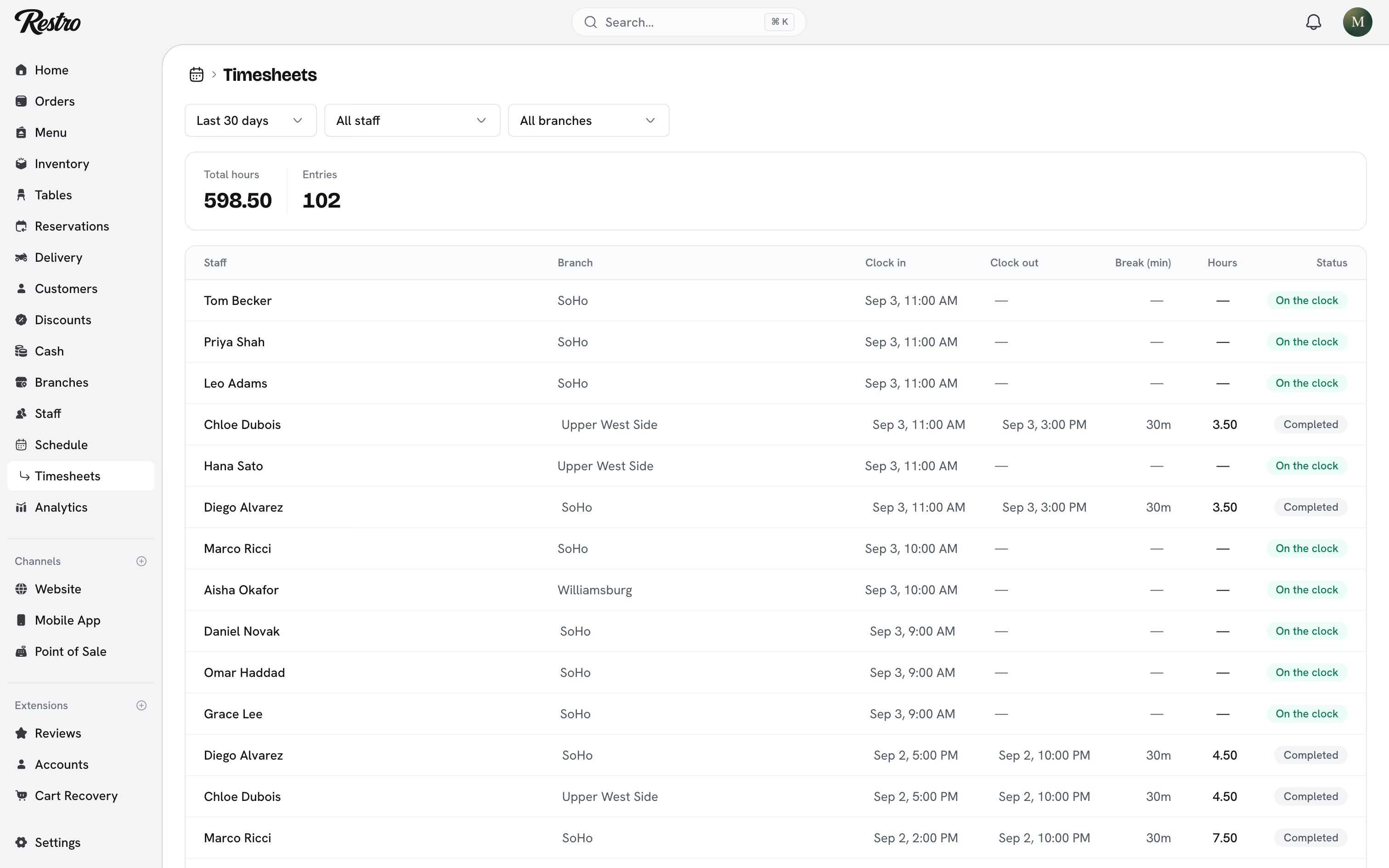
Someone always forgets to clock out. Managers can open an entry, fix the clock-out time or break, add a note, or delete it. Every correction is recorded in the activity log with who changed what.
Long ranges show the first 200 entries. Narrow the dates to see more.
#Tips and shifts
Where tipping is on, each tip is linked to the time entry that was open when the order was placed. That is what lets Analytics → Tips break tips down by shift rather than only by person.
The Hourly rate on a staff member's page is combined with their clocked hours to cost labor in Analytics → Profitability.
#Related
Did this page miss something? Tell us.
Back to top