Customers and store credit
Find and edit customer records, keep notes staff see at the till, grant and spend store credit, and answer data requests.
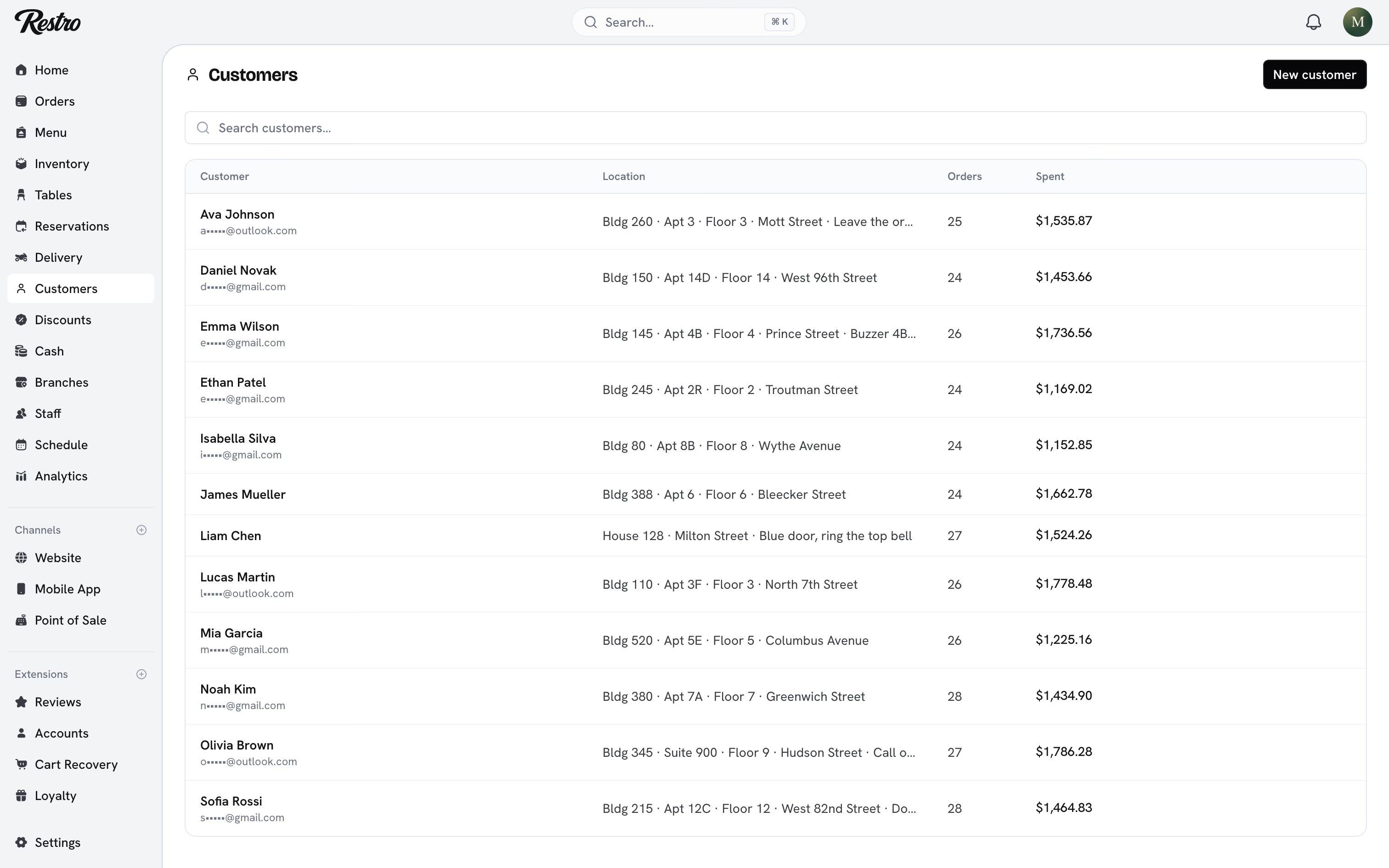
Customers lists everyone who has ordered from you, with their location, order count and total spent. Open a customer to see and edit their record.
#Customer records
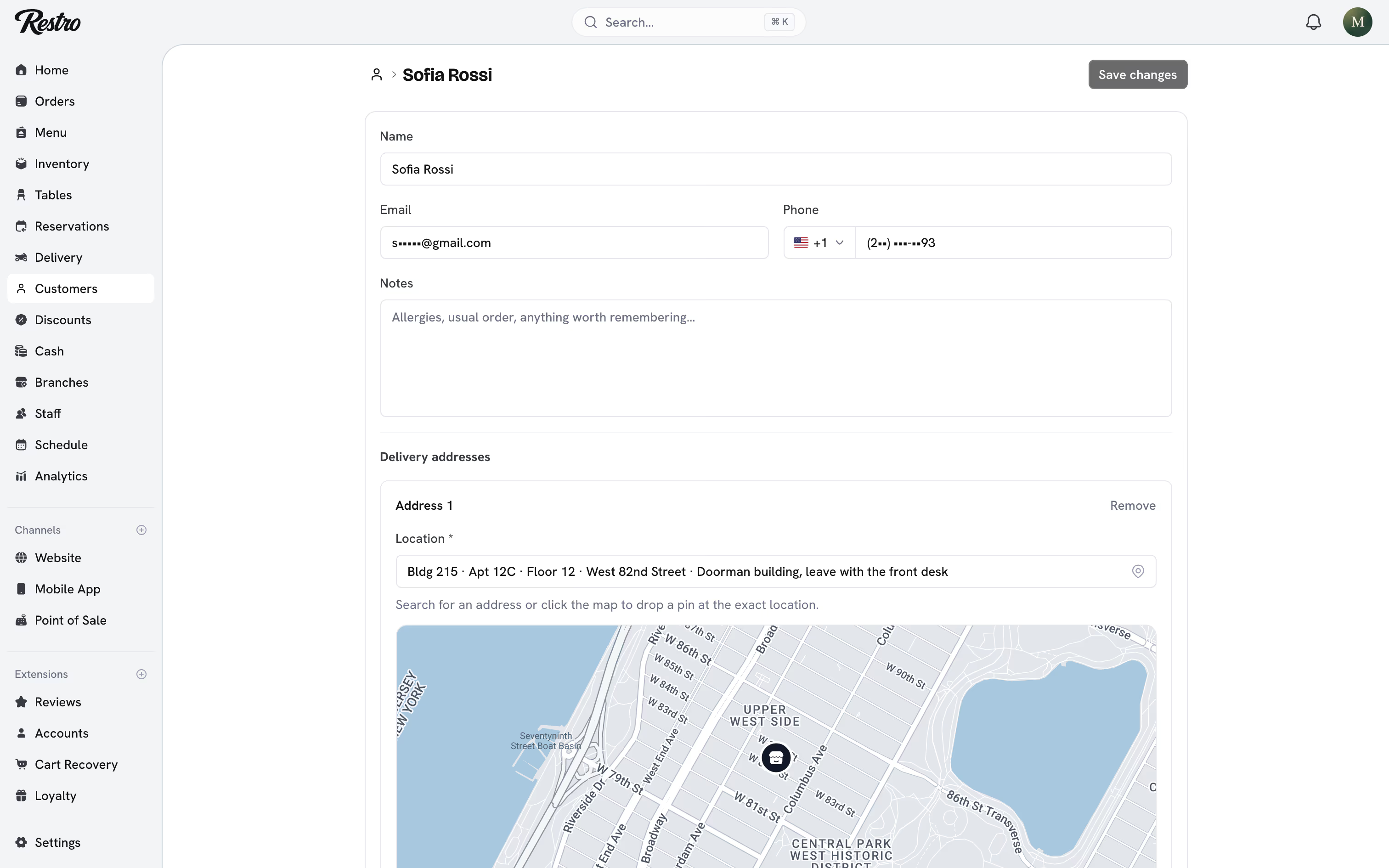
Each record holds the customer's name, email, phone, delivery addresses, notes, order history and points balance. Every order attaches to a record where one can be identified, whether it came from your website, your app or the till. At checkout Restro matches on phone number and email, so a returning customer lands on the same record.
Notes are free text for whatever staff need to remember: an allergy, a usual order, a building with an awkward entrance. They can be written from the customer's page or from the till, and both show the same note.
#Guest orders
A customer ordering without an account still produces an order, and they track it from the link in their confirmation email. Turn on the Accounts extension if you want customers to sign in, save their details and see their history.
#Store credit
Store credit is a balance you hold for a customer, spendable at checkout. It appears on the customer's page under Loyalty as a points balance, with a history of every movement, so a balance can always be explained.
Credit is granted by:
- A signup bonus or a referral bonus, set under Extensions → Accounts.
- Points earned on completed orders, when the Loyalty extension is on.
- A member of staff choosing Adjust balance and entering a number of points with a reason. A negative number takes points away. Every adjustment is recorded under the staff member's name.
You set what points are worth under Extensions → Accounts, in each currency your branches use.
At checkout the credit is applied before payment and recorded on the order separately from any discount, so promotion performance and credit redemption stay separately reportable.
Credit spends the same way at the counter. Attach the customer on the point of sale and the till shows the balance and what it redeems before applying it. The same limits apply as on your website. Voiding or fully refunding the order gives the credit back.
#Data requests
A diner can ask for a copy of everything you hold on them, or ask you to delete it. Both are answered from the customer's page. Download data produces a file with their profile, addresses, orders, bookings, reviews and store credit history. Delete personal data erases those details. The retention policy behind both lives under Settings → Privacy.
Note
Deleting a customer's personal data erases the record rather than the orders. The order totals stay for your tax records.
#Duplicates
Customers are matched on phone number and email. A diner who orders once with only a phone number and later with only an email produces two records. Searching Customers by name, email or phone finds both.
#Related
Did this page miss something? Tell us.
Back to top