Inventory and recipes
Track ingredients per branch, record every stock movement, and let sales deduct stock for you.
Inventory in the sidebar tracks what is in the building at each branch. Recipes connect that stock to your menu, so selling a dish moves its ingredients on its own.
#Ingredients and branch stock
An ingredient is something you buy: mozzarella, flour, takeaway boxes. It is defined once for the whole restaurant.
Stock is tracked per branch. Each branch keeps its own quantity on hand, cost per unit, supplier, and storage location for the same ingredient. SoHo running out of salmon fillet does not affect Williamsburg.
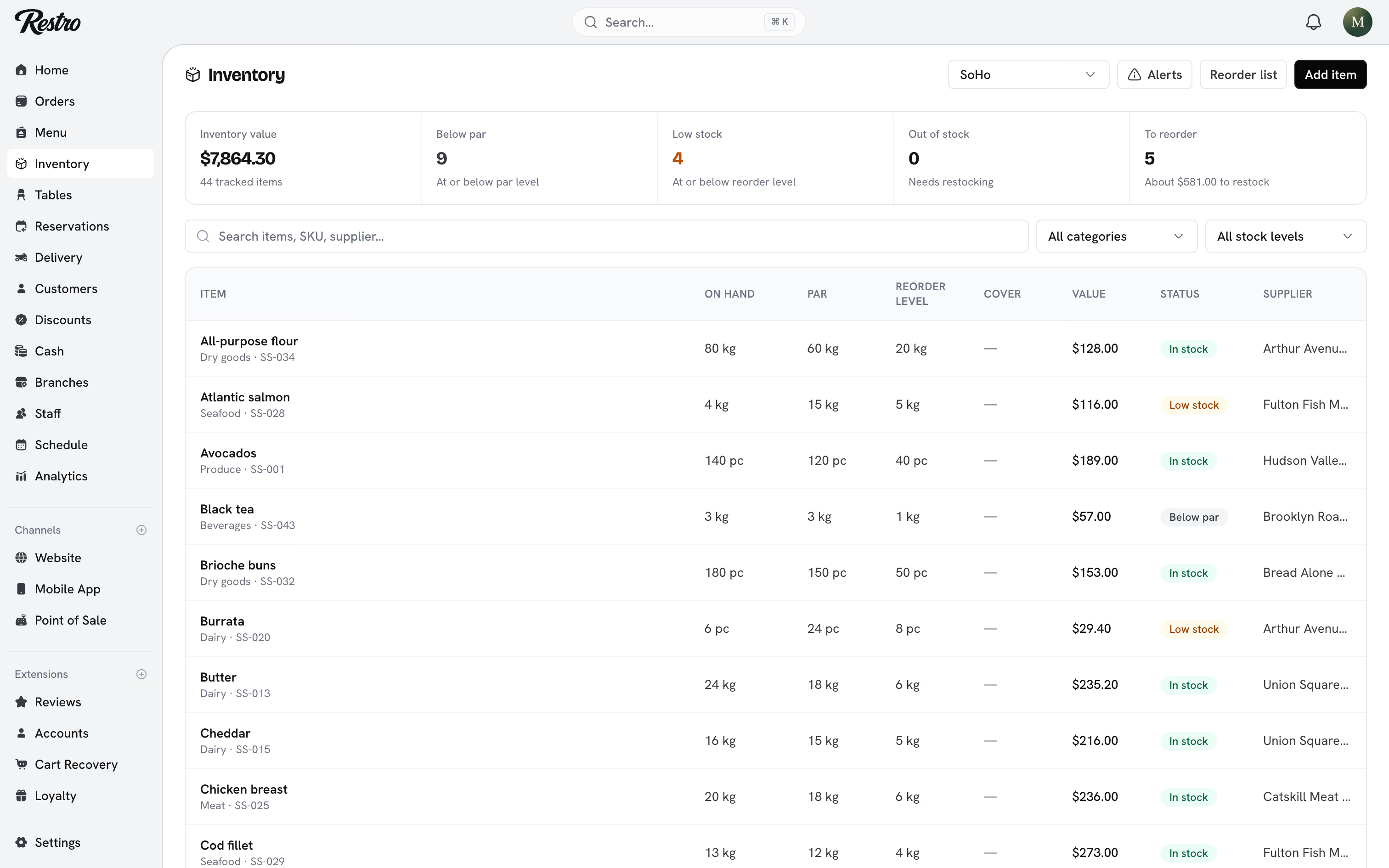
The list shows a status for every item: In stock, Below par, Low stock, or Out of stock.
#Stock movements
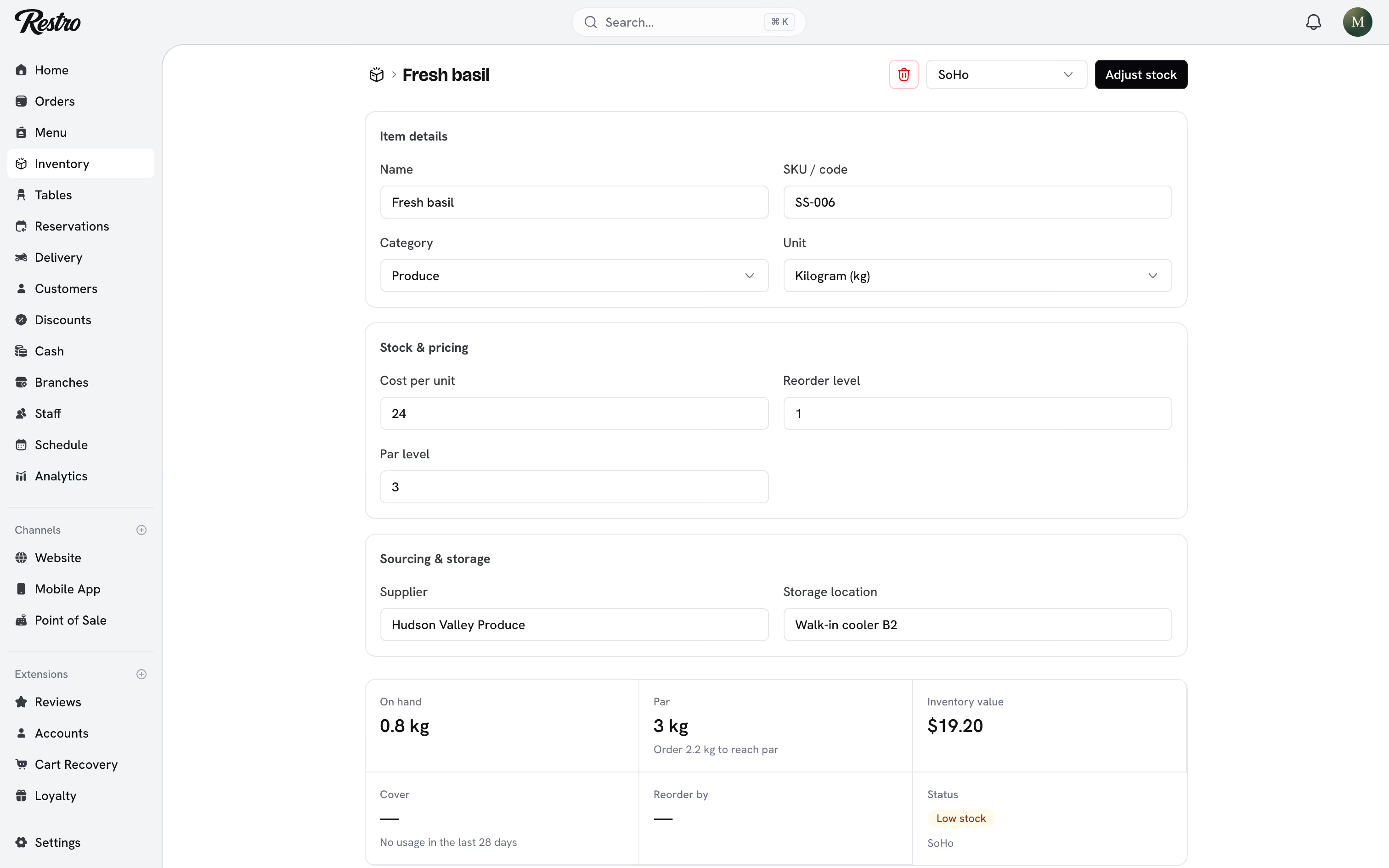
Every change to a quantity is recorded as a movement, so the balance always has a paper trail. Open an item, choose Adjust stock, pick the Movement type, and Save movement.
| Movement | Effect | Use it for |
|---|---|---|
| Purchase | Increase | Stock bought from a supplier |
| Received | Increase | A delivery arriving into stock |
| Return | Increase | Returned stock added back |
| Waste | Decrease | Spoilage, expiry, or kitchen loss |
| Transfer out | Decrease | Stock sent to another branch |
| Adjustment | Either | A correction after a count |
| Sale | Decrease | Deducted automatically from an order |
| Restore | Increase | Put back from a cancelled order |
Restro refuses a movement that would take a balance below zero. If your count really is negative, something else is wrong and the system will not bury it.
#Recipes
Menu → the item → Recipe & ingredients. A recipe lists the ingredients one serving of a menu item uses and how much of each. Once a recipe exists, stock moves on its own:
- Selling the item deducts its ingredients when the order is Confirmed, or straight away if it was already paid.
- Cancelling or voiding the order puts them back.
- A full refund with Return items to inventory ticked puts them back too.
Each automatic movement is recorded against the order, so you can trace a missing kilo of flour back to the dish that used it.
#Reorder and par levels
Reorder level is when to buy. Par level is how much to hold. Set both and the Reorder list tells you not just what is running low but how much to order to be comfortable again, with an estimated cost.
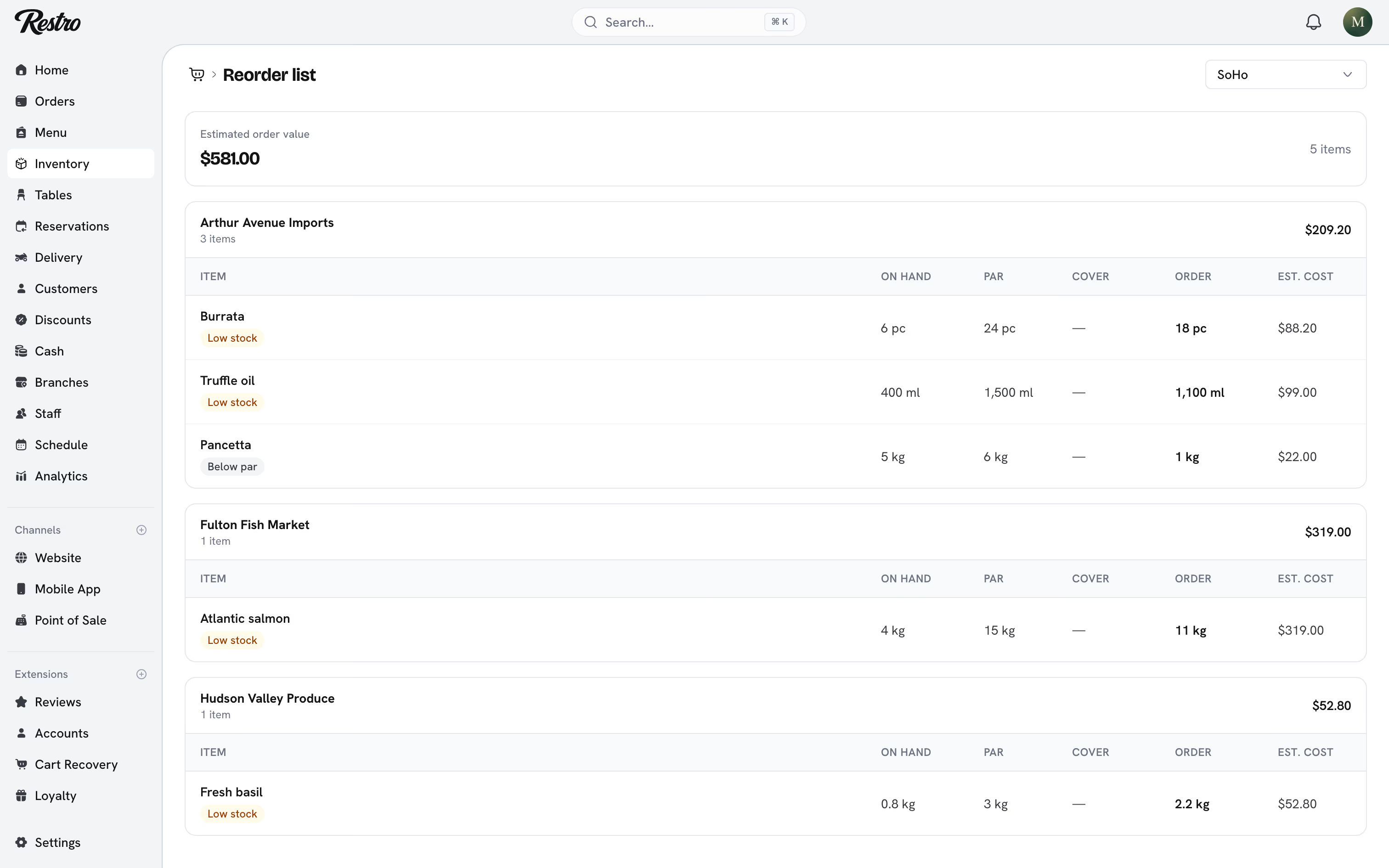
Turn on Low stock alerts to email your team one list per branch when stock drops.
#Counting stock
Do a physical count, then record the difference as an Adjustment with a note. Do not type over the quantity. The adjustment is the record of what happened, and your variance reporting is built from those records.
Did this page miss something? Tell us.
Back to top